EasyManua.ls Logo

A4 Tech. G7-300 - Page 6

Default Icon
7 pages
Print Icon
To Next Page IconTo Next Page
To Previous Page IconTo Previous Page
Loading...
Zoom In & Zoom Out, Paste Text, Execute Program.
Note:
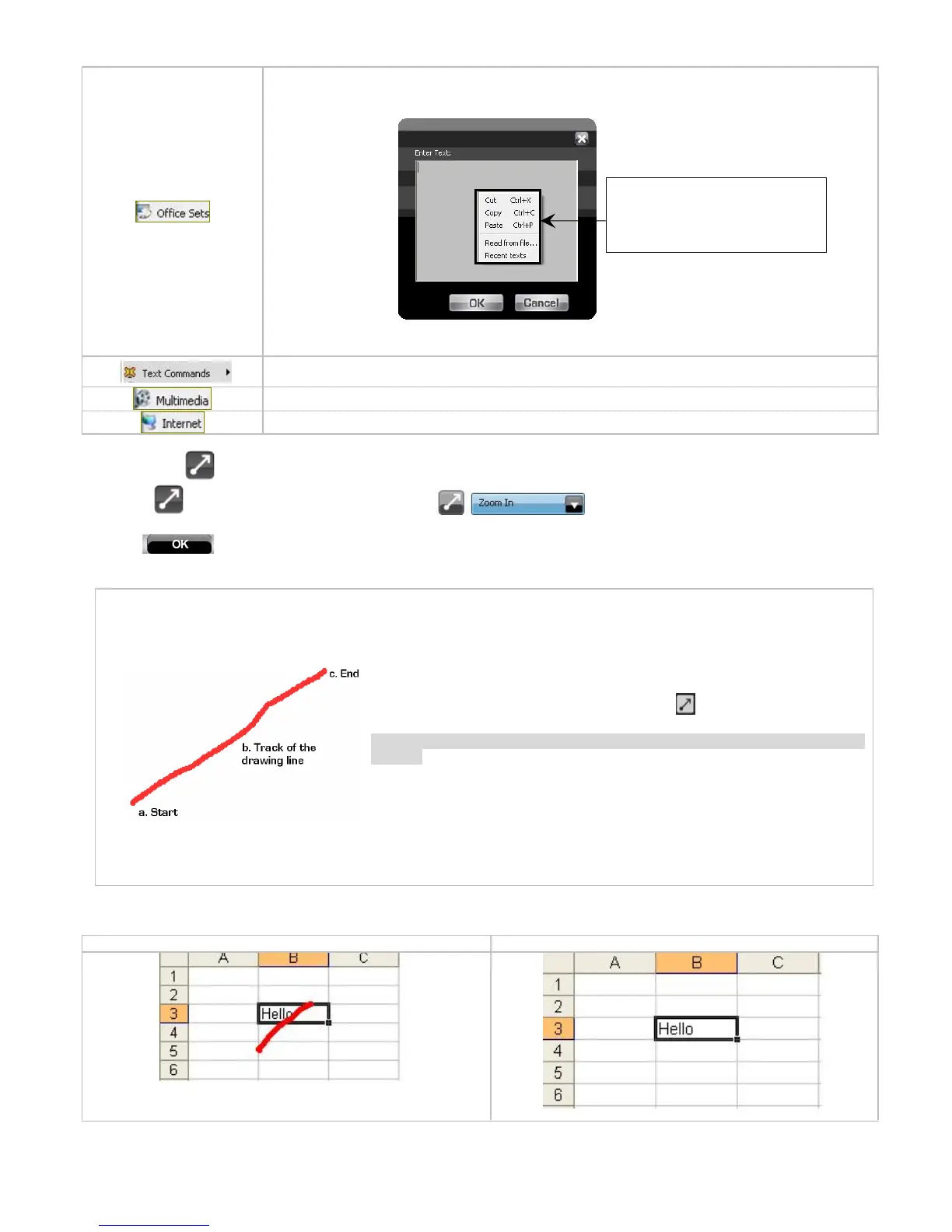
If the” Paste Text” of the “Office Sets” is selected, the “Figure. A” will pop up as s
hown; you
may input texts to paste.
New File
(Ctrl+
N
),
Open File (Ctrl+O
),
Save File
(Ctrl+
S
), Redo (Ctrl+Y), Undo (Ctrl+Z).
Media Player, Previous Track, Next
T
rack, Stop, Play/Pause, Mute, Volume+, Volume
-
.
Back, Forward, Stop, Search, Refresh
, My Favorite, Web Browser, IE
-
mail
Now let
s take
as
example to
show you
clearly on how to use these functions
1.
S
elect
icon to represent
Zoom In
as shown
:
2.
Press
to save settings.
3. Draw the line in
Excel & Windows Picture and Fax Viewer.
a.
Start:
Press the
Gesture
Button
b. Track of the drawing line:
Draw
the line
s as
the
arrow
directio
n.
c. End:
Release the
Gesture
Button”
Reminder:
If
step b
is omitted, it will perform as
Gesture
Button" default
function.
d
. Then the picture has been zoomed in accordance to the magnitude of the line
length.
4
.
See the contrast
after
drawing the l
ine
.
E
xcel:
Original
After Drawing Line
, the column has been enlarged
Fig. A
Click right button of the mouse in
Text
Area” will bring you
text
editing
tool (shown
as the left)

Related product manuals