13
l Checking connection of your camera
1. Plug the USB cable to the computer’s USB Port.
2. Restart your computer when Installation is completed.
3. Double click “My Computer” icon->Control
Panel->System->Device Manager ->Imaging Device; if you
see “A4 Tech USB PC Camera”, then your camera is now
installed.
For Windows 2000 /XP:
Double click “My Computer”icon->Control Panel->System->
Hardware->Device Manager->Imaging Device; if you see “A4
Tech USB PC Camera H”, then your camera is installed.
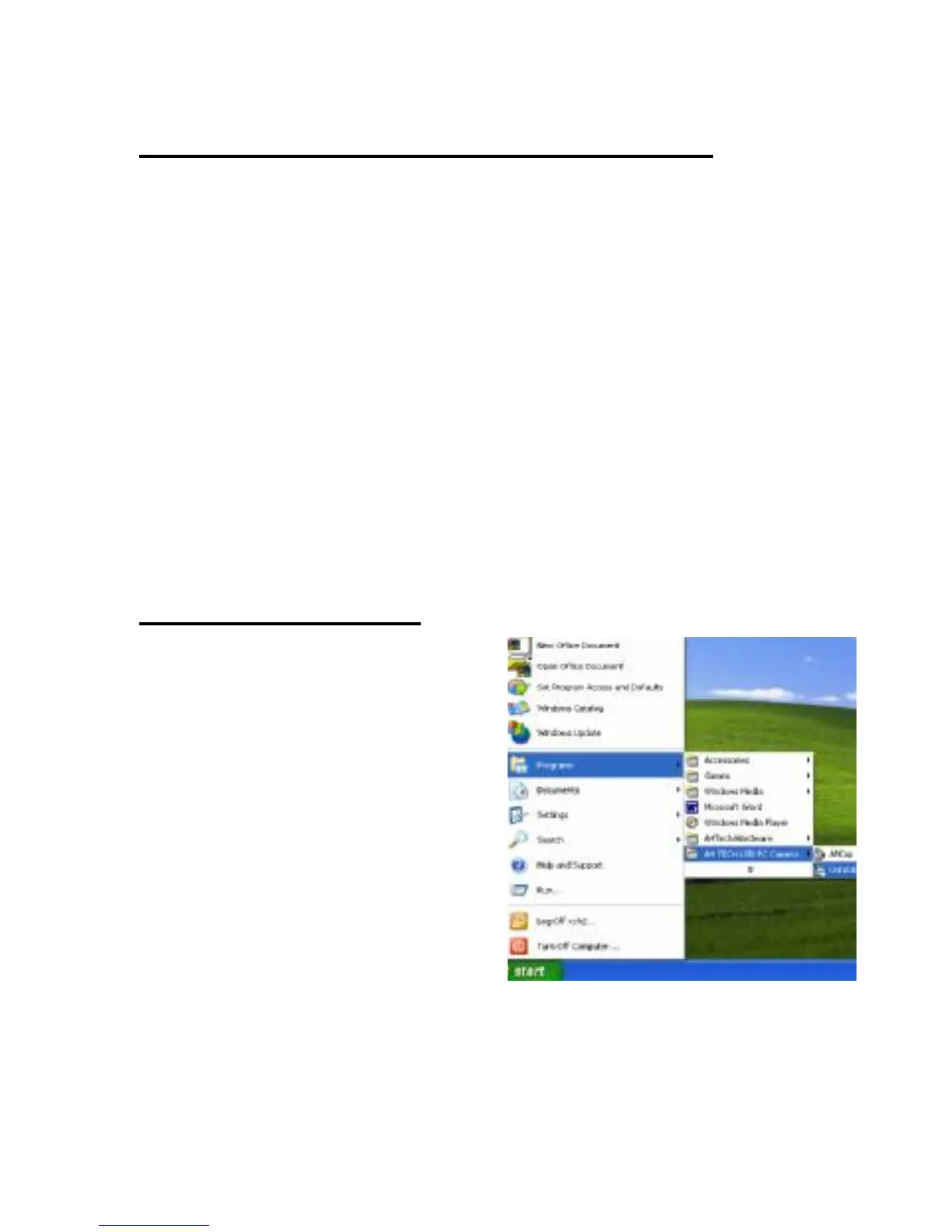
l Uninstalling Driver
Click“Start”from the task bar


 To Next Page