2-1
Chapter 2: Motherboard information
Chapter 2
Motherboard information
2.1 Before you proceed
Take note of the following precautions before you install motherboard components
or change any motherboard settings.
CAUTION!
• Unplugthepowercordfromthewallsocketbeforetouchingany
component.
• Beforehandlingcomponents,useagroundedwriststraportouchasafely
groundedobjectorametalobject,suchasthepowersupplycase,toavoid
damaging them due to static electricity.
• HoldcomponentsbytheedgestoavoidtouchingtheICsonthem.
• Wheneveryouuninstallanycomponent,placeitonagroundedantistatic
pad or in the bag that came with the component.
• Beforeyouinstallorremoveanycomponent,ensurethattheATXpower
supply is switched off or the power cord is detached from the power
supply.Failuretodosomaycauseseveredamagetothemotherboard,
peripherals,orcomponents.
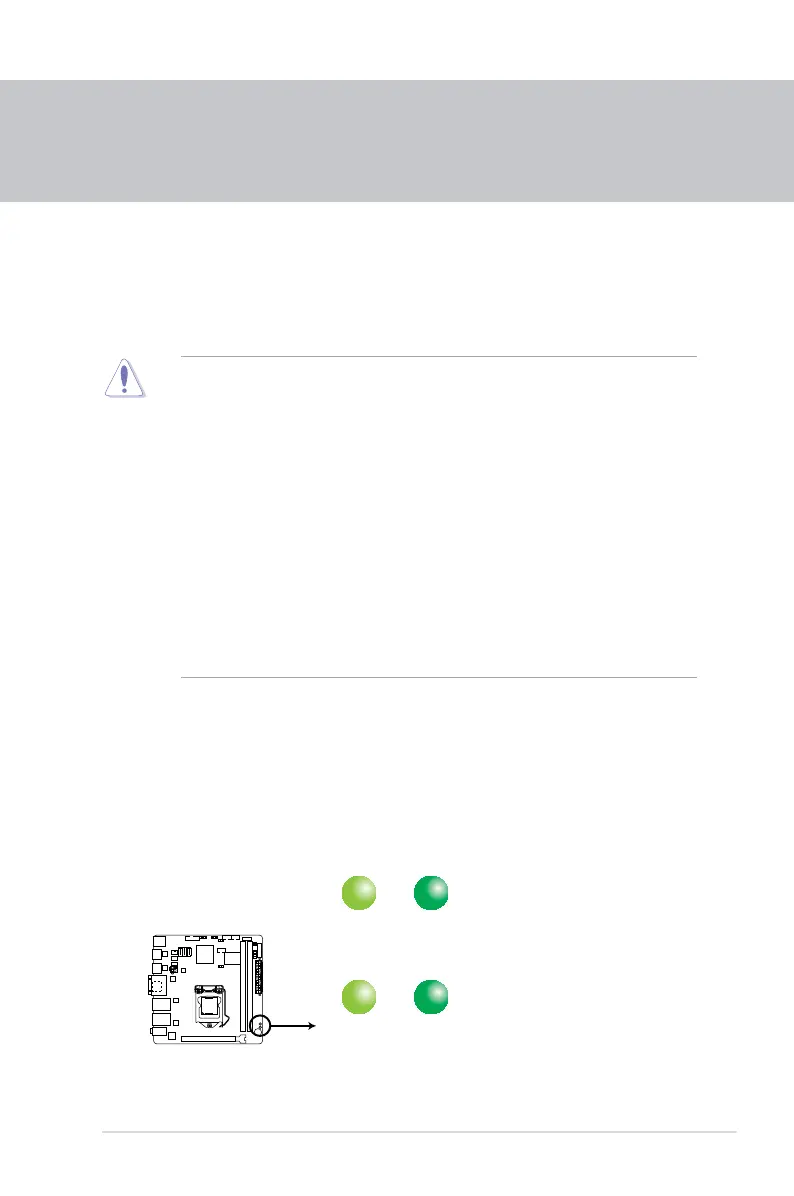
Main and Standby Power LEDs
The motherboard comes with one standby power LED and main power LED that
lightuptoindicatethatthesystemisON,insleepmode,orinsoft-offmode.This
is a reminder that you should shut down the system and unplug the power cable
beforeremovingorplugginginanymotherboardcomponent.Theillustrationbelow
shows the location of the onboard LEDs.
LED1
ON
Main Power
Powered Off
OFF
ON
Standby Power
Powered Off
OFF
EMB-B75A Onboard LED



 To Next Page