BM series 37
9. Function Switch And Initialization
9.1. Permit Or Inhibit
The balance stores parameters that must not be changed unintentionally.
Example: Calibration data for accurate weighing, Data for adapting to the operating environment,
Control data for the RS-232C interface.
The balance is equipped with five switches for the purpose of protecting parameters. Each switch
can select either "permit" or "inhibit". "Inhibit" protects parameters against unintentional operations.
1 Press the ON:OFF key to turn off the display.
2 While pressing and holding the PRINT key and the RANGE key,
press the ON:OFF key to display p5 .
3 Press the PRINT key. Then the balance displays the function switches.
4 Specify the switches using the following keys.
RANGE key
...........
The key to select blinking digit.
RE-ZERO key
........
The key to change the parameter for the selected switch.
0 To inhibit changes. (Can not be used.)
1 To permit changes. (Can be used.)
PRINT key
............
The key to store the new parameter and return to the weighing mode.
CAL key
................
The key to cancel the operation ( Clr is displayed ). To return to the
weighing mode, press the CAL key once again.
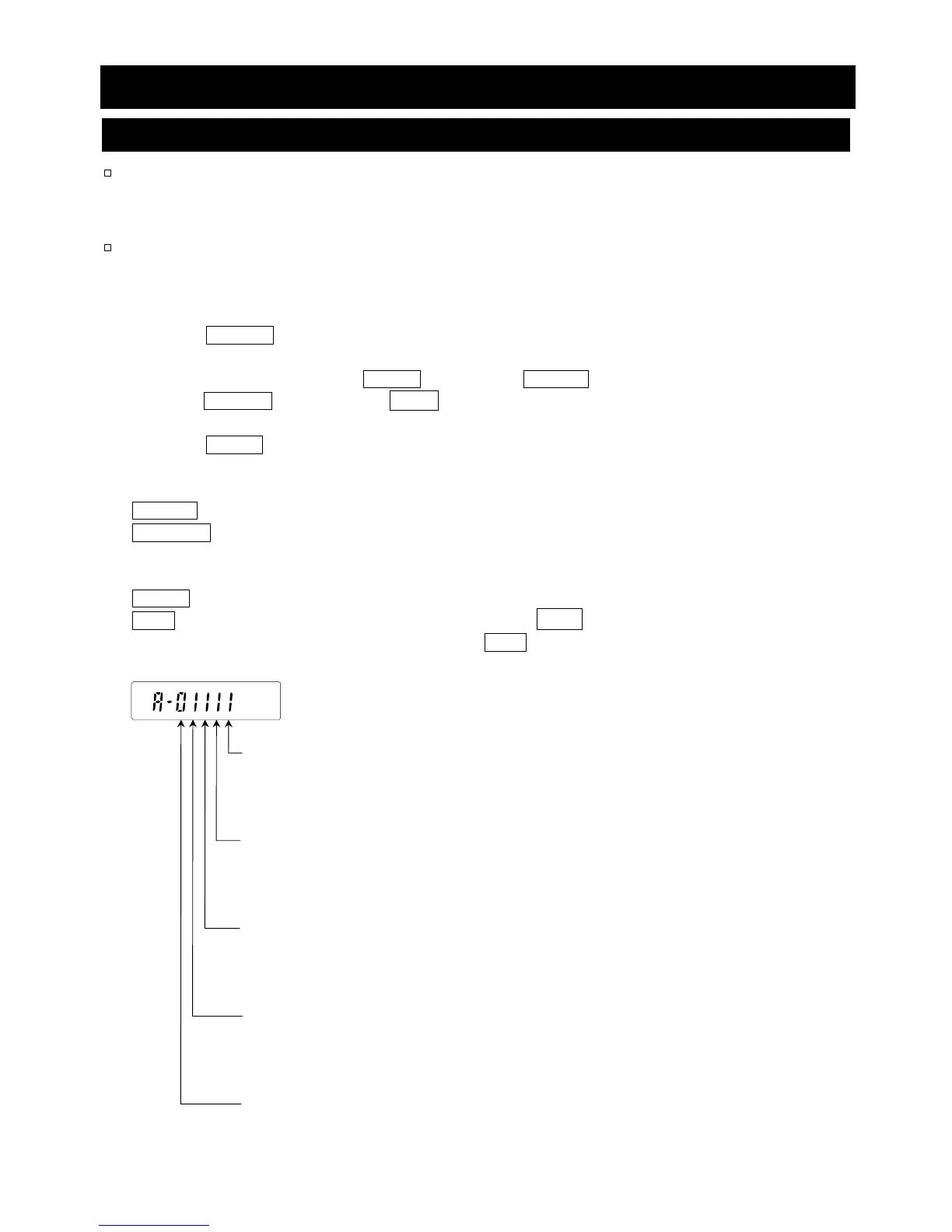
Function table
0 To inhibit changes to the function table.
1 To permit changes to the function table.
Calibration using the internal mass (One-touch calibration)
0 To inhibit calibration using the internal mass.
1 To permit calibration using the internal mass.
Calibration using the external weight
0 To inhibit calibration using the external weight.
1 To permit calibration using the external weight.
Automatic self calibration (for variation of ambient temperature)
0 To inhibit automatic self calibration.
1 To permit automatic self calibration.
Internal mass correction
0 To inhibit correction.
1 To permit correction.



 To Next Page