EasyManua.ls Logo

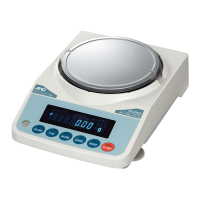
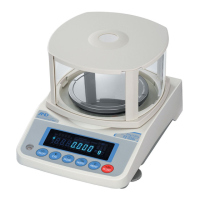
A&D FX-200i - User Manual

A&D FX-200i
78 pages
Print Icon
To Next Page IconTo Next Page
Loading...
FZ-i / FX-i SERIES
FZ-120i / FZ-200i / FZ-300i / FZ-500i
F
Z-1200i / FZ-2000i / FZ-3000i / FZ-5000i
F
X-120i / FX-200i / FX-300i / FX-500i
F
X-1200i / FX-2000i / FX-3000i / FX-5000i
Precision Balance
1WMPD4001863B
INSTRUCTION MANUAL

Table of Contents

Questions and Answers

  • P
    Patricia GardnerAug 19, 2025
    What to do if A&D FX-200i Scales show an overload error?
    • C
      Charles ArmstrongAug 19, 2025
      If the A&D Scales display an overload error, it means a sample exceeding the balance's capacity has been placed on the pan. Remove the sample to resolve this.
  • K
    Kristopher GreenAug 21, 2025
    How to fix stability error on A&D FX-200i Scales?
    • T
      Teresa ArnoldAug 21, 2025
      If you see a stability error on your A&D Scales, it indicates the balance is unable to stabilize due to environmental factors. To fix this, prevent vibration, drafts, temperature changes, static electricity, and magnetic fields.
  • Y
    Yolanda TurnerAug 25, 2025
    How to resolve communications error on A&D FX-200i?
    • M
      Melissa ThompsonAug 25, 2025
      A communications error on A&D Scales indicates a protocol error occurred during communications. Verify the format, baud rate, and parity to resolve this.
  • C
    Courtney HughesAug 26, 2025
    What to do if A&D FX-200i Scales show 'Not ready' error?
    • J
      john19Aug 26, 2025
      If the A&D Scales show a 'Not ready' error, it means a received command cannot be processed. Adjust the delay time to transmit a command to resolve this issue.
  • J
    John HooperAug 28, 2025
    Why do A&D FX-200i Scales display a format error?
    • P
      Paul RoachAug 28, 2025
      If your A&D Scales display a format error, it means a command includes incorrect data. Check the command to ensure it is correct.
  • A
    Ashley HardinAug 30, 2025
    What does 'Out of range error' mean on A&D Scales?
    • V
      Victor TaylorAug 30, 2025
      If the A&D Scales display an 'Out of range error', it means the value entered is beyond the settable range. Re-enter the value within the acceptable range.
  • V
    Victoria MarshSep 1, 2025
    What does timeout error mean on A&D FX-200i Scales?
    • D
      Denise BoydSep 1, 2025
      If the A&D Scales display a timeout error, it means the balance didn't receive the next character of a command within one second. Check the communication setup.
  • A
    andreapearsonSep 3, 2025
    What is an undefined command error on A&D FX-200i Scales?
    • S
      Steven PageSep 3, 2025
      If the A&D Scales display an undefined command error, it means an undefined command was received. You should confirm the command being sent to the scales.
  • J
    Jessica WilsonSep 5, 2025
    Why do A&D FX-200i show excess characters error?
    • L
      Larry BaldwinSep 5, 2025
      If the A&D Scales display an excess characters error, it means the balance received too many characters in a command. You should confirm the command.
  • A
    Adam GreenSep 8, 2025
    What causes parameter setting error on A&D FX-200i Scales?
    • L
      Lori GonzalesSep 8, 2025
      If the A&D Scales display a parameter setting error, it indicates that the received data exceeds the acceptable range for the balance. Confirm the parameter range of the command.

Summary

Introduction and Setup

About This Manual

Provides an overview of the manual's structure and purpose.

Product Features

Highlights the key capabilities and design aspects of the FZ-i/FX-i series balance.

Unpacking the Balance

Instructions for safely removing the balance and its components from the packaging.

Precautions Before Use

Essential guidelines for proper installation and initial setup to ensure accurate weighing.

Operational Guidelines and Controls

During Use and After Use Precautions

Safety and operational advice for using the balance during and after measurements.

Display Symbols and Key Operation

Explanation of balance indicators, symbols, and the function of each key.

Weighing Units and Modes

Description of available units of weight and different weighing modes.

Weighing Operations

Basic Operation (Gram Mode)

Step-by-step guide for standard weighing in gram mode.

Counting and Percent Modes

Instructions for using the counting (PCS) and percent (%) weighing modes.

Statistical Calculation Mode

How to perform statistical analysis on weight data.

Balance Adjustment and Calibration

Response Adjustment

Adjusts the balance sensitivity to environmental conditions for stable readings.

Calibration Methods

Overview of available calibration procedures: internal and external weights.

Internal Mass Calibration

Procedure for calibrating the balance using its built-in mass.

Internal Mass Calibration Details

Correcting Internal Mass Value: Method 1

Procedure to correct internal mass using an external weight and calculation.

Correcting Internal Mass Value: Method 2

Alternative method to correct internal mass using external weight calibration.

Calibration Using External Weight

Step-by-step guide for calibrating the balance with an external weight.

Function Settings and Initialization

Permit or Inhibit Switches

Configuration of switches to protect parameters from unintentional changes.

Initializing the Balance

Restores balance parameters to factory default settings.

Function Table Overview

Introduction to the structure and navigation of the balance's function table.

Function Table: Environment and Output

Environment and Display Settings

Configuration of environmental parameters and display behavior.

Data Output Mode

Settings for controlling data transmission via RS-232C interface.

Data Format Descriptions

Explanation of different data output formats (A&D, DP, KF, MT, NU, CSV).

Function Table: Application, Time and Comparator

Data Format Examples

Illustrations of data output for various formats and conditions.

Application Function

Description of capacity indicator and statistical calculation modes.

Clock and Calendar Function

Setting and using the built-in clock and calendar.

Comparator Function and ID;GLP

Comparator Function

Configuration and use of the comparator for limit checking.

ID Number and GLP Report

Setting the balance ID and understanding GLP report output.

GLP Report Details

Formats and examples of GLP reports for calibration and weight data.

Underhook, Programmable Unit, and RS-232 C

Underhook Usage

Using the balance's underhook for specific measurements like density.

Programmable Unit Function

Converting weight data using a programmable coefficient.

RS-232 C Serial Interface

Technical details and pin assignments for serial communication.

Peripheral Connections and Commands

Connecting Peripherals

Instructions for connecting printers and computers.

Computer Connection and WinCT

Connecting to PCs and using Windows Communication Tools.

Command List

List of commands for controlling the balance via RS-232C.

Maintenance and Troubleshooting

Maintenance and Performance Checks

Procedures for cleaning, care, and verifying balance performance.

Error Codes

List of error displays and their descriptions and solutions.

Asking For Repair

Guidance on when and how to contact a dealer for service.

Optional Accessories

FXi-02 USB Interface

USB connectivity for data transfer to PC.

FXi-08 Ethernet Interface

LAN connectivity for networking the balance.

FXi-09 Built-in Battery Unit

Battery option for portable use.

Specifications and Dimensions

Technical Specifications

Detailed technical data including weighing capacity, display, and environmental specs.

External Dimensions

Physical dimensions of the balance models.

Terms and Index

Glossary of terms and an index for quick reference.

A&D FX-200i Specifications

General IconGeneral
Capacity200 g
Readability0.001 g
Repeatability (σ)0.001 g
Linearity±0.002 g
Stabilization Time2 seconds
DisplayLCD
InterfaceRS-232C
CalibrationInternal
Power SupplyAC adapter
Operating Temperature5°C to 40°C
Power SourceAC adapter
Units of Measureg, oz, lb, ozt, ct, mom, dwt, GN

Related product manuals