EasyManua.ls Logo

A&D HR-250AZ - User Manual

A&D HR-250AZ
88 pages
Print Icon
To Next Page IconTo Next Page
Loading...
HR-AZ / HR-A SERIES
HR-250AZ / HR-251AZ / HR-150AZ / HR-100A
Z
HR-250A / HR-251A / HR-150A / HR-100A
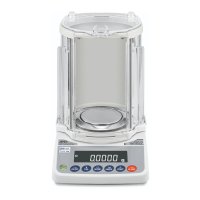
Analytical Balance
1WMPD4002375A
INSTRUCTION MANUAL

Table of Contents

Questions and Answers

  • J
    Jeffrey GoodmanSep 3, 2025
    What does 'Communications error' mean on A&D HR-250AZ, and how to fix it?
    • R
      Ronnie FreemanSep 3, 2025
      A 'Communications error' on your A&D Scales indicates a protocol error occurred in communications. To resolve this, confirm the format, baud rate, and parity.
  • E
    Erika RobinsonSep 18, 2025
    What to do if A&D HR-250AZ display other errors?
    • H
      hunterwallaceSep 18, 2025
      If the errors described above cannot be resolved or other errors are displayed, contact the local A&D dealer.
  • D
    Diane BryantSep 16, 2025
    What does 'Parameter setting error' mean on A&D Scales, and how to correct it?
    • J
      james36Sep 16, 2025
      A 'Parameter setting error' on your A&D Scales means the received data exceeds the range the balance accepts. Confirm the parameter range of the command.
  • S
    Sarah AliSep 14, 2025
    What does 'Format error' mean on A&D HR-250AZ Scales, and how to resolve it?
    • T
      Tammy FloresSep 14, 2025
      A 'Format error' on your A&D Scales indicates that a command includes incorrect data. To fix this, confirm the command being used.
  • K
    Kelly WalshSep 12, 2025
    What does 'Excess characters error' mean on A&D HR-250AZ Scales, and how to resolve it?
    • J
      Jon DeanSep 13, 2025
      An 'Excess characters error' on your A&D Scales means the balance received too many characters in a command. Review and confirm the command being sent.
  • G
    Glenn SalinasSep 12, 2025
    What does 'Timeout error' mean on A&D Scales, and how can I fix it?
    • M
      mballSep 12, 2025
      A 'Timeout error' on A&D Scales means that the balance didn't receive the next character of a command within one second. Verify the communication setup.
  • T
    Thomas Fox DVMSep 9, 2025
    What does 'Not ready' mean on A&D HR-250AZ Scales, and how to fix it?
    • B
      Brittney HarperSep 9, 2025
      If your A&D Scales display 'Not ready', it means a received command cannot be processed. Adjust the delay time to transmit a command.
  • R
    Ryan BeckerSep 7, 2025
    What does 'Undefined command error' mean on A&D HR-250AZ, and how do I fix it?
    • J
      Jennifer LopezSep 7, 2025
      An 'Undefined command error' on your A&D Scales means an undefined command was received. Confirm the command to resolve this.
  • B
    Brandon TaylorSep 5, 2025
    What does 'Battery error for clock' mean on A&D HR-250AZ Scales, and how to resolve it?
    • L
      Lisa PayneSep 5, 2025
      A 'Battery error for clock' on your A&D Scales means the back-up battery power for the clock was lost completely. After pressing a key, adjust the date and time. Even if the back-up battery power is lost, the balance performance will be normal. If this error appears frequently, repair is required.
  • J
    Jennifer MackAug 21, 2025
    What to do if A&D HR-250AZ show a stability error?
    • B
      Brenda GilbertAug 21, 2025
      If your A&D Scales display a stability error, it is likely due to an environmental problem. To resolve this, prevent vibration, drafts, temperature changes, static electricity, and magnetic fields. Refer to section '3. PRECAUTIONS' for detailed information on the operating environment and section '7. RESPONSE ADJUSTMENT' for adapting the balance to the environment. To return to the weighing mode, press the CAL key.

Summary

1. INTRODUCTION

1-2 Features

Key features of the HR-AZ/HR-A series balance.

2. UNPACKING THE BALANCE

2-2 Installing the Balance

Steps to place, assemble, level, and connect the balance.

3. PRECAUTIONS

3-1 Before Use

Environmental, installation, and power precautions before operating.

3-2 During Use

Precautions for static electricity, magnetism, temperature, and handling.

4. DISPLAY SYMBOLS AND KEY OPERATION

6. WEIGHING

6-1 Basic Operation (Gram Mode)

Step-by-step guide for basic weighing in gram mode.

6-5 Statistical Calculation Mode

Calculating and displaying statistical data (sum, avg, std dev).

7. RESPONSE ADJUSTMENT

8. CALIBRATION

8-1 Calibration Mode

Overview of calibration modes (internal/external weight).

8-6 Calibration Using an External Weight

Calibrating the balance using an external weight.

9. FUNCTION SWITCH AND INITIALIZATION

10-3 Details of the Function Table

10-5 Description of the Item “Data Output Mode

10-6 Description of the Item “Data Format”

10-8 Description of the Item “Application Function”

Statistical calculation mode (APF 2)

Calculates and outputs statistical data.

10-10 Comparator Function

11. ID NUMBER AND GLP REPORT

11-2 GLP Report

Settings for outputting GLP/GMP compliant reports.

Measuring the density of a solid (specific gravity) (d5 0)

Measuring the density of a liquid (specific gravity) (d5 1)

15. RS-232 C SERIAL INTERFACE

16. CONNECTION TO PERIPHERAL EQUIPMENT

16-3 Using Windows Communication Tools (WinCT)

Using WinCT software for data communication with PC.

18. MAINTENANCE

19. TROUBLESHOOTING

19-1 Checking the Balance Performance and Environment

Steps to diagnose performance or environmental issues.

19-2 Error Codes

List of error codes and their meanings.

21. SPECIFICATIONS

A&D HR-250AZ Specifications

General IconGeneral
BrandA&D
ModelHR-250AZ
CategoryScales
LanguageEnglish

Related product manuals