24
Music Player Menu
Listening To Audio:
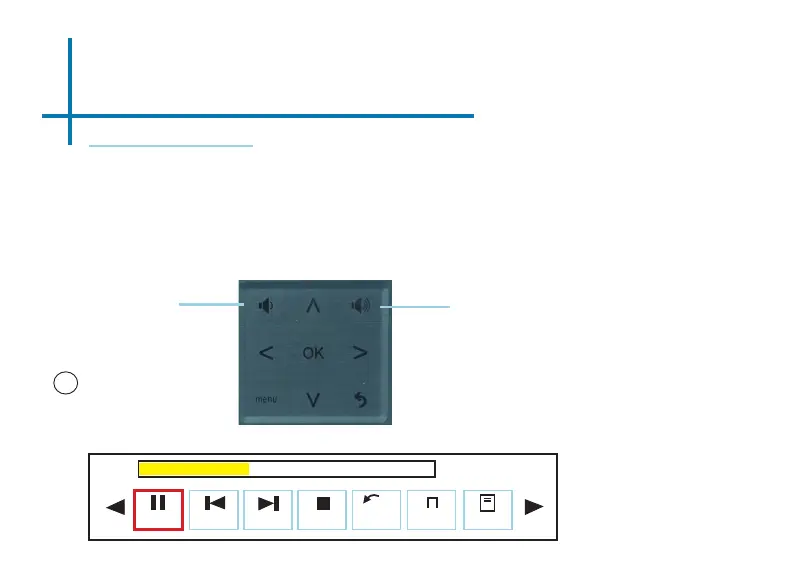
To adjust the volume, use the left and right button on the projector or the volumes
keys on the remote. To navigate the playback menu, push the “OK” button to
open the menu and use the directional buttons on the navigation pad to highlight
the option you wish to choose.
*Review Specication section of this manual for supported audio formats.
• To open/hide the
music playerback
menu, use the “OK”
and “Back” button on
the projector. Once
the music playback
menu is hidden, the
left and right buttons
will control the volume.
Conrm selection
OK
Fig 3.9
00:00:59 / 00:04:20
Volume Down
Volume Up














 To Next Page