21
Previous/ Next Video
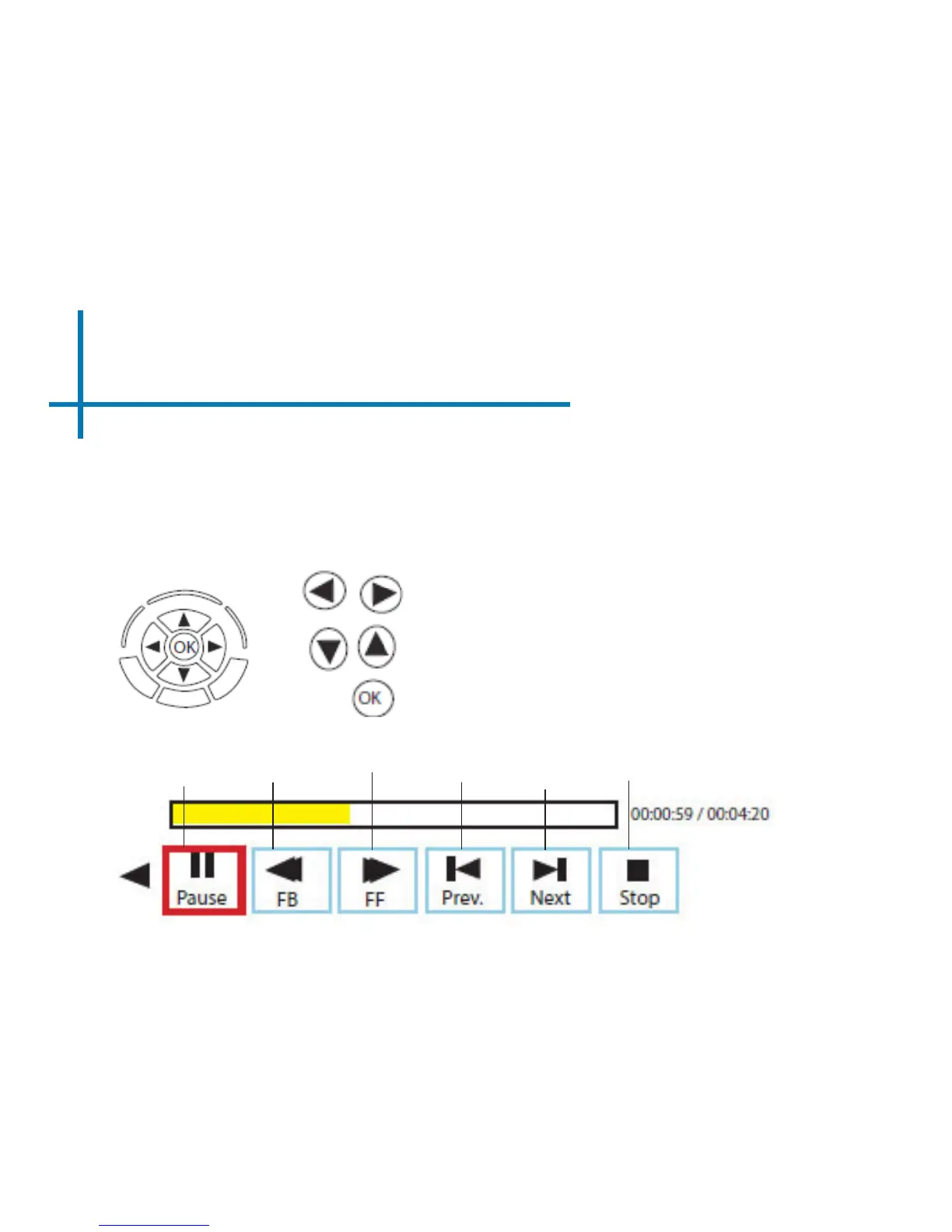
Playing Videos
To adjust the volume use the up and down arrow directional keys on the projector
or the volume keys on the remote. To navigate the playback menu, push the “OK”
button to open the menu, and use the directional buttons on the nativation pad or
remote to highlight the option you wish to choose.
Rewind
Video
Fastforward
Video
Previous
video
Next
Video
Stop
Video
Play/
Pause
Video
Move selection left or right
Adjusts the volume
Conrm Selection














 To Next Page