21
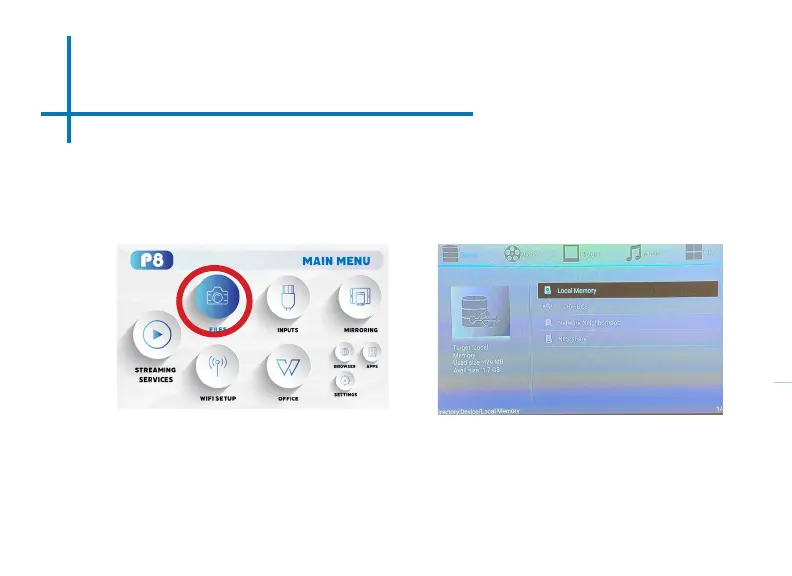
The P8 will show all folders and les you have on your USB or TF Card drive.
Use the navigation buttons to select folders or les.
Opening A File:
• Select the “Files” icon in the Main Menu ( Fig 3.8)
• In the Files Menu, select the external content device (USB/ Micro SD - TF
Card) that contains the le you wish to open (Fig 3.9)
Fig. 3.8
Fig. 3.9
Files Menu















 To Next Page