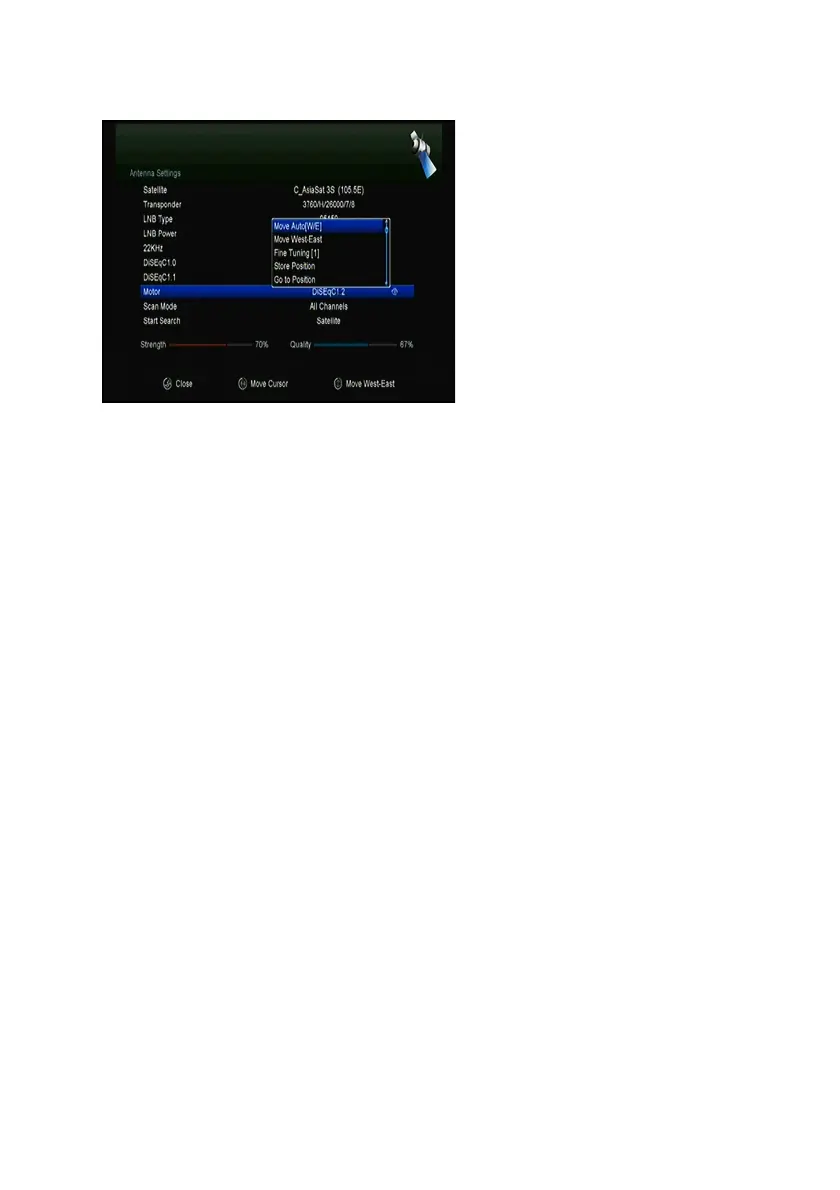
1. Motor Mode:
Select DiSEqC 1.2 or USALS using the ◄/► button. DiSEqC 1.2: General
motor antenna using DiSEqC 1.2. USALS: Motor antenna using USALS.
ØØ Move Auto[W/E]
Press ◄/► button, the dish will be motorized to East/West continuously, and it
will stop until it find the best signal.
ØØ Move west-east
Press ◄/► button, the dish will be motorized to East/West step by step, until
you find the best signal showed on the signal bar.
ØØ Fine Tuning(1)
Input digital button to set the moving step
ØØ Store Position
Save the current position you searched.
ØØ Go to Position
Press OK button to move the dish to the position which you saved.
ØØ Go to Reference
Press OK button to move the dish to 0 position.
ØØ Set West Limit
You can set the maximum motor limit for both West to prevent damage to the
antenna.
ØØ Set East Limit


 To Next Page