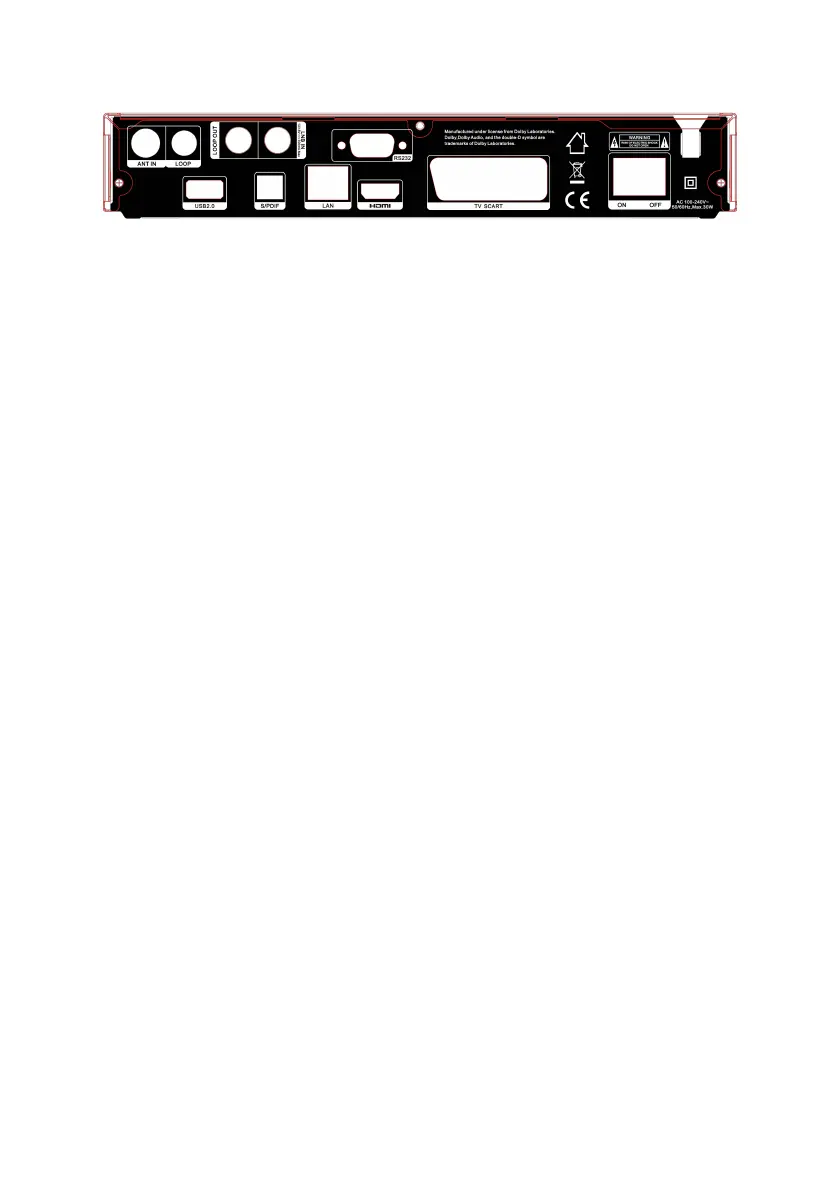
Figure 3. Rear Panel
1. LOOP OUT
Connect another receiver.
2. LNB IN
Connect the satellite antenna cable.
3. USB2.0
One USB 2.0 Host Port.
(If hard-disk is to be used with the receiver, please make sure it is inserted before booting up. )
4. SPDIF
Digital Audio output (Optical).
5. LAN
Connect to the internet using an Ethernet cable.
6. RS232
Connect to the computer using a serial line.
7. HDMI
Connect to the TV using an HDMI cable.
8. TV SCART
Connect to the TV using a Scart cable.
9. ON/OFF
Power on/off.



 To Next Page