4.Installation
You should install the receiver when powering on your product for the first time
after
purchase.
Tip:
The default password is
0000
. If you have forgotten your password,
please
contact your local product distributor.
4.1 Powering On
1. Connect the power cord of the product to a wall outlet.
2. Ensure the ON/OFF switch at the rear of the product is switched to ON.
3. Power on by pressing the STANDBY button on the remote control or the
STANDBY button at the front of the product.
4.2 Antenna Settings
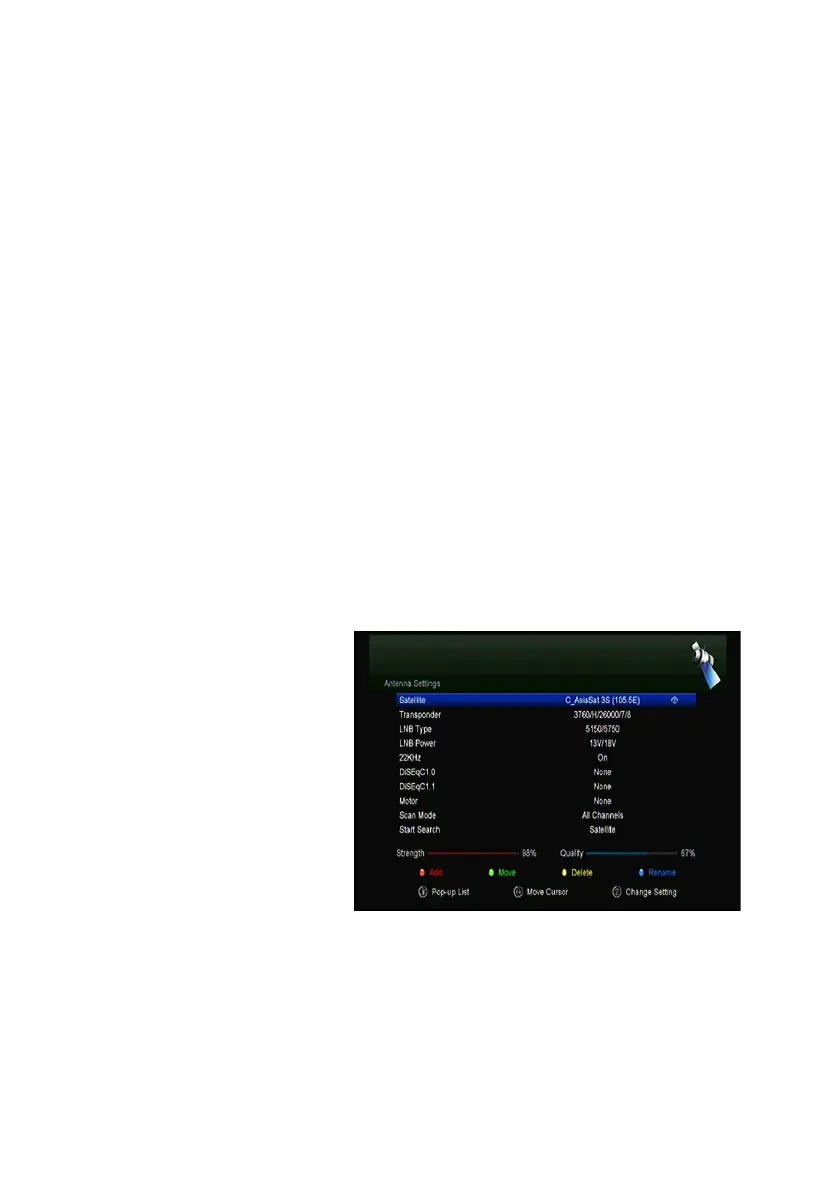
Antenna Settings
allows you to configure the antenna setting parameters.
Menu->INTALLATION->Antenna Settings
1. Satellite: Highlight the satellite you want to search.
2. Transponder (TP for
short):Press the ◄/► button
to change the TP.
3. LNB Type: Press the ◄/►
button to change the LNB
frequency.
4. LNB Power: Press the
◄/►button to select the
required LNB power.
5. 22kHz: Press the ◄/►
button to select
ON, OFF
or
Auto
.
6. DiSEqC 1.0: Press the ◄/► button to select the required DiSEqC1.0 input.
7. DiSEqC 1.1: Press the ◄/► button to select the required DiSEqC1.1 input.
8. Motor: Press the ◄ /► button to select DiSEqC1.2 or USALS.
9. Scan Mode: Press the ◄ /► button to select scan mode.



 To Next Page