10
4.1 First installation / Installation wizard
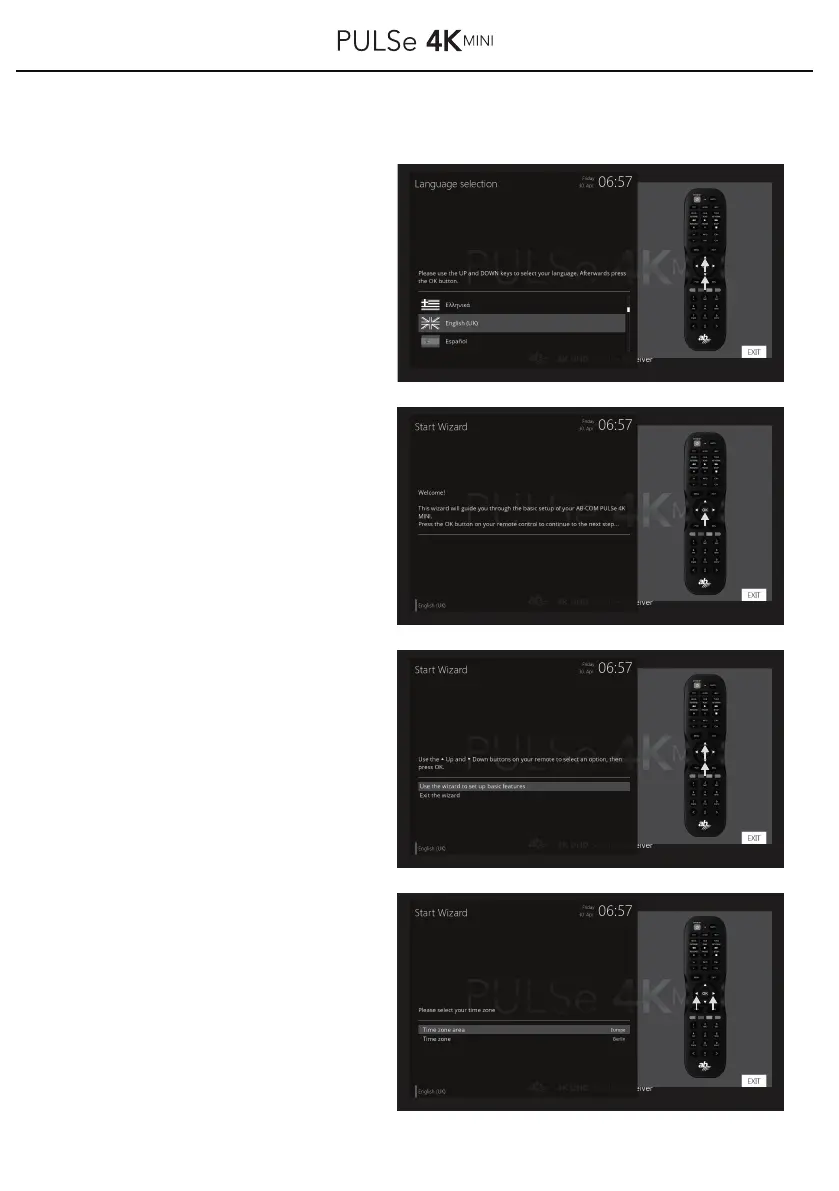
Now select your language
selection with the buttons
▲ / ▼ on your remote control
and confirm your selection
with the OK button.
e.gGerman, English, Arabic, etc...
Now your receiver starts the
wizard for basic settings.
Press the OK button on your remote
control to go to the next step.
Select now with the buttons ▲ / ▼
on your remote control, if you want to
start the wizard for basic features or
to cancel the wizard.
Confirm your selection with the OK
button on your remote control.
Use buttons ◀ / ▶ on your remote
control to set your time zone.
Confirm your selection with the OK
button on your remote control.
z.B.: GMT+01:00 Amsterdam, Berlin,



 To Next Page