14
5.1 OSD display
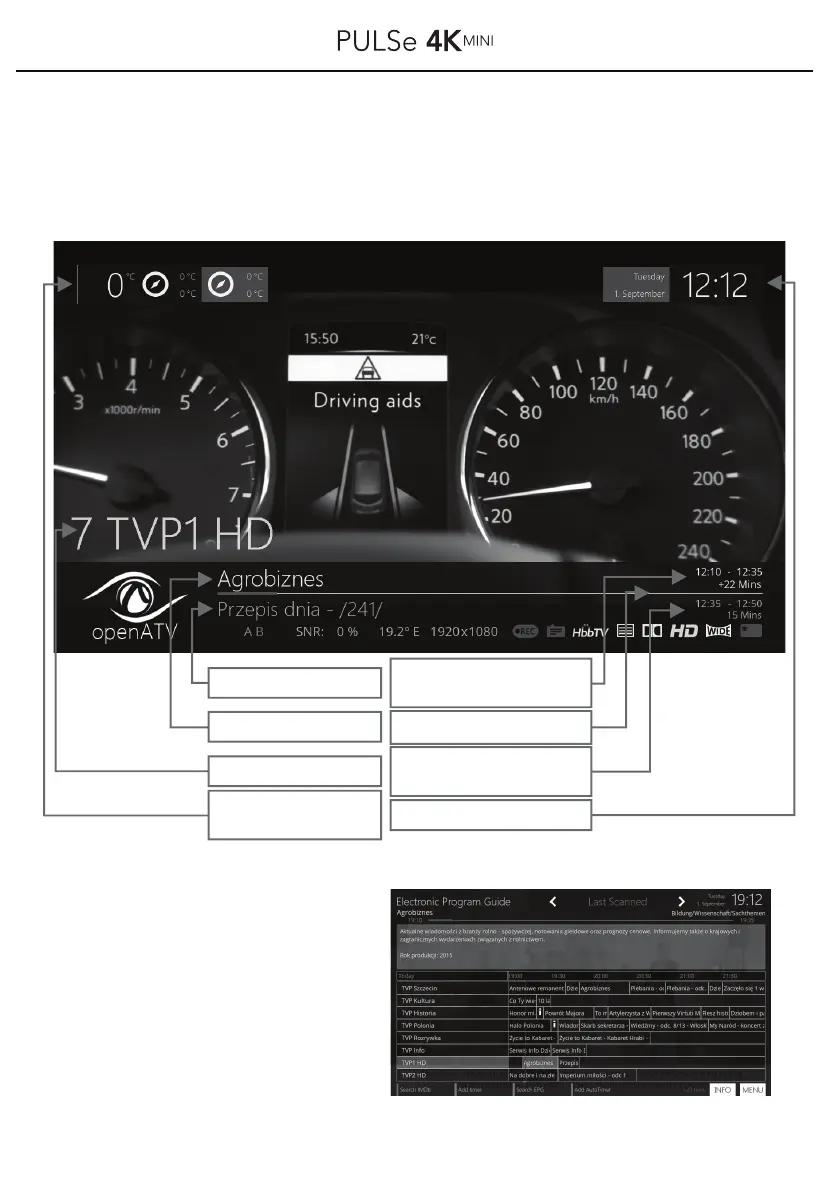
When switching the programs with the „Ch. +“/,)Ch.-" buttons or by pressing the button
OK on your remote control, the following program information display appears:
Pressing the button EPG on your
remote control shows you the
electronic program guide.
You can navigate in this EPG display
using the ▲ / ▼ / ◀ / ▶ buttons.
The red vertical line shows you the
current time.
Current broadcast
Subsequent broadcast
Current Program
Weather
-today / tomorrow
-min / max. Temp.
Time and duration
of the current film / broadcast
(from / to / minutes)
Timeline / Runtime position
of the current program
Time and duration
of the next film / broadcast
(from / to / minutes)
Current date and time



 To Next Page