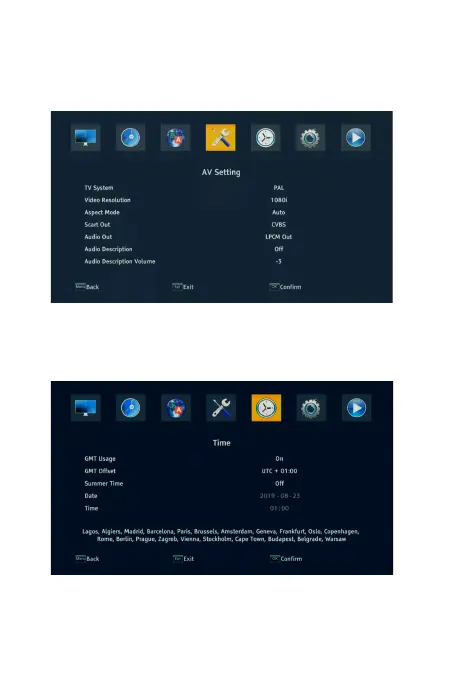
4.4 AV Setting
To access the Menu, press MENU and select [AV Setting].The menu provides
options to adjust the settings. Press the UP/DOWN key to select an option and
press RIGHT/LEFT to adjust the setting. Press EXIT to exit the Menu.
4.5 Time
To access the Menu, press MENU and select [Time].The menu provides options
to adjust the settings. Press the UP/DOWN key to select an option and press
RIGHT/LEFT to adjust the setting. Press EXIT to exit the Menu.



 To Next Page