Need help?
Do you have a question about the Abask J05Pro and is the answer not in the manual?
Details the included accessories and components provided with the dash cam.
Step-by-step instructions on how to physically mount and connect the dash cam in a vehicle.
Guide to configuring initial settings like language, date, and time after first power-on.
Instructions for downloading the app and connecting the dash cam to a smartphone via WiFi.
Provides essential safety warnings and precautions for using the dash cam.
Offers helpful advice and recommendations for optimal dash cam usage.
Details important information regarding the dash cam's internal backup battery.
Explains the on-screen icons and indicators during video recording.
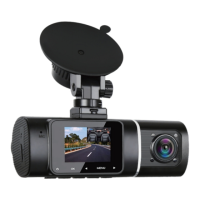
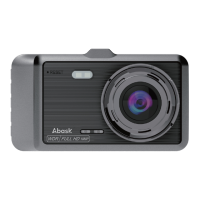
Identifies and describes the various physical parts and ports of the dash cam.
Details the specific functions of each button on the dash cam.
Lists the technical specifications and features of the dash cam model.
Guidance on inserting, checking, and formatting the microSD card for the dash cam.
Detailed steps for mounting the camera, connecting power, and adjusting positioning.
Explains both automatic and manual methods for turning the dash cam on and off.
Covers essential setup steps including language, date, time, and memory card formatting.
Instructions on how to access and play back recorded video files.
Details on how to start, stop, lock recordings, and access recording settings.
Instructions for navigating, playing, and managing recorded video files.
Outlines the duration of the warranty for the dash cam and its accessories.
Provides contact information for technical support and customer assistance.
Specifies exclusions and limitations of the product warranty coverage.
 General
| Screen | 1.5 inch LCD Display |
|---|---|
| Screen Saver | Supported |
| Angle | 170° High-Resolution Wide Angle Lens |
| Video Resolution | Front: 38402160P/25601440P/ 19201080P Rear:19201080P |
| WDR | Supported |
| IR LED Lamps | 4 pcs |
| Frame Rate | 30fps |
| Video Coding Format | H.264, MOV |
| Loop Recording | 1 Minute / 3 Minutes |
| G-sensor Lock | Supported |
| WiFi | 2.4G WiFi |
| Language | Chinese/English/French/German/Italian/ Spanish /Japanese |
| Audio Recording | Built-in microphone, On / Off optional |
| Storage | Micro SD Card (Class 10, up to 128GB ) |
| USB interface | Mini USB |
| External power supply | DC 5V / 2A |
| Light Frequency | 50HZ/60HZ |
| Storage temperature | -20℃- 60℃ |
| Operating temperature | -10℃- 50℃ |
| Battery | 150mAh polymer lithium battery |

 To Next Page