3.Interface and Button Function
3.1 Recording Interface
The camera will automatically enter Video Recording Mode
and start recording when connected to a car charger and
power on. A Red dot flashing on the top left corner indicates
record is in progress.Press the OK to stop recording,or start
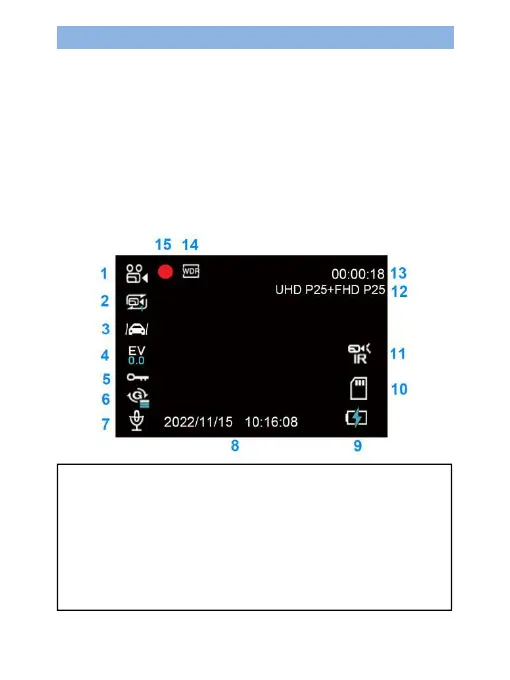
recording again.The following are icon representations of
some common functions on the screen,indicating that these
functions are enabled.(You can also find their
representations through the menu accordingly).
1.Mode 2.Loop Recording 3.Parking Guard
4.Exposure 5.Lock video 6.G-sensor
7.Audio Status 8.Time&Date 9.Power Status
10.SD card 11.IR LED 12.Video Resolution
13.Recording Time 14.WDR 15.Recording Status


 To Next Page