EasyManua.ls Logo

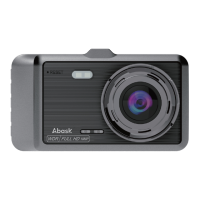
Abask Q40S - 3. Getting Started; 3.1 Check the memory card

Abask Q40S
76 pages
Print Icon
To Next Page IconTo Next Page
To Previous Page IconTo Previous Page
Loading...
4
2.4 Specifications
3.Getting Started
3.1 Check the memory card
Please insert the SD card in the correct direction. The SD card
will pop out after pressing it with a fingernail or sharp object. (SD
card is already inserted in the SD card slot)
Screen Display
4IPS Screen
Lens
1080p
Video Format
MOV
Video Resolution
1296P/1080FHD/720P
Photo Resolution
VGA /1.3M /2M /3M /5M /8M
/10M /12M
Picture Format
JPG
Memory Card Type
TF Card
Storage
TF Card(Up to 32GB)
Rear Camera
Supported
Language
English/Chinese/German
/French/Spanish
Microphone & Speaker
Supported
USB Interface
USB2.0 5pin
Power supply interface
USB2.0 DC5V 1.5A
Frequency
50HZ/60HZ
Battery
200mAh 3.7V
Polymer lithium battery
Operating current
590mA
Storage Temperature
-30~70
Operating Temperature
0~50

Table of Contents

Related product manuals