Practical examples 95
3. Access the Configuration menu.
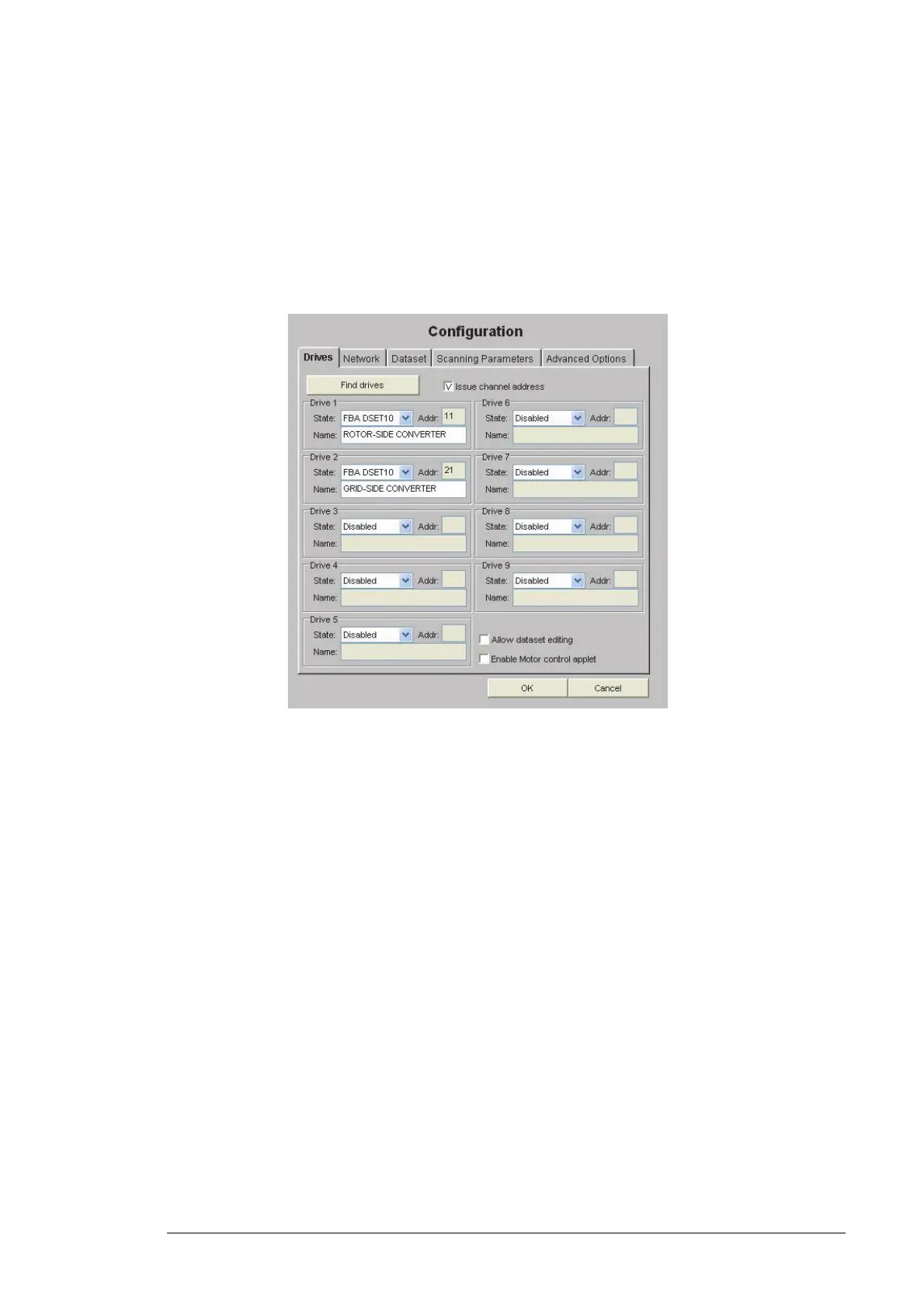
4. Open the Drives tab and click the Find drives button. Make sure that the Issue
channel address check box is ticked.
5. Change the State field of the activated converters from FBA DSET to FBA DSET10
and give appropriate names to the converters in the Name fields.
6. Check that the Allow dataset editing and Enable Motor control applet check boxes
are not ticked.
7. Go to the Network tab and check that the Connected to Tool Channel (Ch3) is
selected.
8. If the converter has only one rotor-side converter and one grid-side converter, select
network type Ring.
9. Save settings by clicking OK and rebooting the module.



 To Next Page