EasyManua.ls Logo

ABB DCS 600 MultiDrive - User Manual

ABB DCS 600 MultiDrive
80 pages
Print Icon
To Next Page IconTo Next Page
Loading...
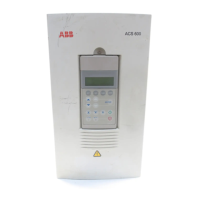
DCS Thyristor Power Converters
for DC Drive Systems
25 to 5150 A
Operating Instructions
DCS 600 MultiDrive
ABB Automation

Table of Contents

Other manuals for ABB DCS 600 MultiDrive

Questions and Answers

  • S
    stacie37Aug 15, 2025
    What to do if ABB Media Converter shows speed feedback fault?
    • S
      stevenkellerAug 16, 2025
      If the ABB Media Converter displays a speed feedback fault, check the incremental encoder and connection cable, ensuring the encoder power supply provides adequate feedback. Verify the tacho polarity and voltage, and confirm the position of jumper S4 on board SDCS-CON-2. Inspect the electronic boards SDCS-CON-2, SDCS-IOB-3, and SDCS-POW 1. Also, check the connection between the converter and the armature circuit for any open connections. Finally, confirm the correct setting for the selection of speed feedback monitoring.
  • W
    William RobinsonAug 18, 2025
    What causes ABB Media Converter to display an overcurrent?
    • L
      Lisa DyerAug 19, 2025
      An overcurrent error on the ABB Media Converter can be caused by faults or blocking conditions in the motor, load, and armature cabling. It can also result from incorrect parameter settings in the current control circuit or torque limitation, or the parameter [P 42.05] (overcurrent detection). A faulty thyristor could also be the cause. Therefore, check the motor, load, and armature cabling for faults or blocking conditions, and the parameter settings of the current control circuit, the torque limitation, and parameter [P 42.05]. Also, check the thyristor.
  • P
    Patricia NicholsAug 21, 2025
    What should I do if ABB Media Converter shows auxiliary voltage fault?
    • J
      john85Aug 21, 2025
      If the ABB Media Converter indicates an auxiliary voltage fault, it means the auxiliary voltage (230 V) is too low during operation. Check internal auxiliary voltages. If the fault persists, replace the SDCS-CON-2 and/or SDCS-POW 1 board, if necessary.
  • M
    Michael WhiteAug 25, 2025
    How to troubleshoot earth fault in ABB DCS 600 MultiDrive?
    • M
      Megan DunnAug 26, 2025
      To troubleshoot an earth fault in the ABB Media Converter, disconnect the mains and verify zero voltage in the armature and field circuits. Perform an insulation test for the complete installation. Check the sum current transformer; if necessary, replace the transformer and the SDCS-IOB-3 board.
  • J
    Jared WallaceAug 28, 2025
    What to check if ABB Media Converter reports overtemperature of MOTOR 1?
    • M
      marshalleileenAug 28, 2025
      If the ABB Media Converter is reporting overtemperature of MOTOR 1, check the temperature sensor and its cabling. Also, check the motor cooling and sizing, the inputs for the temperature sensor on board SDCS-IOB-3, and ensure the parameter setting [P 28.11] is correct.
  • S
    Steven DavisAug 30, 2025
    What to check if ABB DCS 600 MultiDrive Media Converter reports overload of MOTOR 1?
    • J
      joshua92Aug 30, 2025
      If the ABB Media Converter reports an overload of MOTOR 1, you should check the motor temperature (let the motor cool down before restarting). Also, verify the motor ratings and parameters of the thermal model, the motor sizing or load cycle, and ensure that parameter setting [P 28.04] is correct.
  • B
    Brittney StephensSep 2, 2025
    What to check if ABB Media Converter reports overtemperature of MOTOR 2?
    • J
      Jessica ThomasSep 2, 2025
      If the ABB Media Converter reports overtemperature of MOTOR 2, check if the parameter setting [P 28.14] is correct.
  • B
    Bradley EllisSep 5, 2025
    What to check if ABB DCS 600 MultiDrive reports overload of MOTOR 2?
    • M
      Melissa SmithSep 6, 2025
      If the ABB Media Converter indicates an overload of MOTOR 2, verify the motor is not overloaded and check if the parameter setting [P 28.07] is correct.
  • J
    james78Sep 9, 2025
    What to do if ABB DCS 600 MultiDrive Media Converter shows overcurrent converter fan only in combination on 42.14?
    • K
      Kenneth ChavezSep 9, 2025
      If the ABB Media Converter shows an overcurrent related to the converter fan, check the settings for the current converter fan (PW 1002 / PW 1003), parameter [P 42.19], parameter [P 42.14], and monitor [4.14].
  • M
    Michael DavisSep 12, 2025
    How to fix 'no control program in memory' error on ABB DCS 600 MultiDrive?
    • C
      Christopher CarterSep 12, 2025
      To resolve a 'no control program in memory' error on the ABB Media Converter, load the firmware again.

Summary

Safety Instructions

Overview

Basic safety instructions for installation, operation, and maintenance.

Warnings

Information on risks and dangers, identified by symbols.

Mains connection

Details on using a switch disconnector for mains power.

EMERGENCY STOP buttons

Requirements for installing emergency stop buttons.

Intended use

Describes the intended application and limitations of the equipment.

Chapter 1 - Introduction

How to use this manual

Guidance on navigating and utilizing the operating instructions.

Target group

Identifies the intended audience and their required knowledge.

Associated publications

Lists other relevant documentation for the DCS 600 series.

Incoming inspection

Procedures for checking the delivered equipment upon receipt.

Storage and transport

Guidelines for safe storage and transportation of the unit.

Rating plate

Information on identifying the unit via its rating plate.

Chapter 2 - Start-Up Instructions

General notes

Important general information and safety precautions for start-up.

Preparatory work

Steps required before initiating the start-up process.

Scaling intra-unit signals

Procedures for scaling internal signals for correct operation.

Presetting the field supply unit

Instructions for setting up the field supply unit.

Adjusting the current controller

Steps to adjust and tune the current controller.

Speed feedback balancing

Procedures for calibrating speed feedback signals.

Balancing the field supply unit and the EMF controller

Steps for balancing field supply and EMF controller.

Balancing the speed controller, plus fine-balancing the EMF

Fine-tuning speed and EMF controllers for optimal performance.

Manual balancing of the controllers

Procedures for manual controller balancing if auto-tuning fails.

Start-Up of the serial communication

Setting up serial communication with various systems.

Chapter 3 - Handling of Control Panel CDP 312

Overview

General description of the CDP 312 control panel and its capabilities.

Start Mode

Procedure for initiating the control panel and establishing communication.

Panel Functions

Overview of the different operational modes of the control panel.

Actual Signal Display Mode

How to view real-time signals and status information.

Parameter Mode

How to select, view, and change parameters.

Function Mode

Accessing special functions like Upload/Download and contrast setting.

Parameter Selecting and Changing of Value

Detailed steps for selecting and modifying parameters.

Saving of the Parameters to backup memory

Procedures for saving parameter settings.

FAULT resetting (RESET)

Steps to reset faults displayed by the panel.

Uploading and Downloading of Parameters (UPLOAD;DOWNLOAD)

Transferring parameters between panel and drive.

Speed Reference Setting for the Drive

How to set the speed reference value using the panel.

Chapter 4 - Signals and Troubleshooting

Display of status, alarm and fault signals

How signals, alarms, and faults are displayed.

General messages

Codes and meanings of general messages shown on display.

Starting errors (E) [from SDCS-CON-2 board]

Codes for errors preventing drive startup.

Fault Signals (F)

List and explanations of fault signals.

Fault Signals referring to the SDCS-AMC-DC board

Fault signals originating from the AMC-DC board.

Alarm Signals (A)

List and explanations of alarm signals.

Alarm Signals referring to the SDCS-AMC-DC board

Alarm signals originating from the AMC-DC board.

ABB DCS 600 MultiDrive Specifications

General IconGeneral
BrandABB
ModelDCS 600 MultiDrive
CategoryMedia Converter
LanguageEnglish

Related product manuals