Page 10
6. Push the circuit breaker straight into the
module. Keep the unit level as possible.
Do not raise or lift the circuit breaker.
7. Align the breaker locking tabs (Figure
4.11) with the module interlock slots
(Figure 4.18).
8. Engage the breaker locking tabs by
returning the handles to their outward
position.
9. Verify that the handles are fully outward
and the breaker locking tabs have
engaged fully into the module interlock
slots.
Note: The unit will not rack into the TEST
position if the Module Interlock Tabs are not
properly engaged with the frame.
10. Disengage the lift-truck by raising the
platform via the foot pedal, release the
foot brake, and move it away from the
frame. The circuit breaker is now in the
DISCONNECTED position ( Figure 4.21).
11. Close and secure the breaker
compartment door.
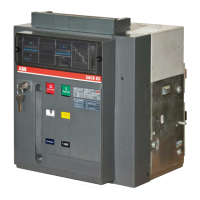
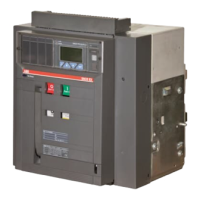
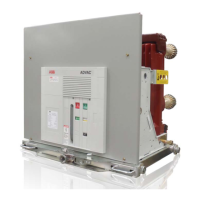
Figure 4.21 Circuit breaker in DISCONNECT position
4.6 Racking, DISCONNECT to TEST
To rack from the DISCONNECTED position
to the TEST Position: Press down on the
racking release handle on the breaker
compartment door (Figure 4.22).
Figure 4.22 Racking release handle
1. Engage the racking screw on the
breaker with the racking tool and rotate
clockwise (CW).
2. Release the handle and continue to rack
the unit by rotating the racking tool
clockwise until the racking screw stops,
approximately 4 turns. The breaker is
now in the TEST position and will begin
to charge.
3. Verification can be made by confirming
the position indicator on the right side
breaker rail shows TEST (Figure 4.23).
Note: On some ABB Switchgear, the Breaker
“Open” indicating light serves both as the
breaker is “Open” and that the breaker has
reached either the “Test” or “Connect” position
during racking. This is due to the breaker’s TOC
“pin monitor” contact being in series with the
breaker “Open” indicating light circuit. The pin
monitor is only closed when the breaker is in
one of the three racking positions “Disconnect”,
“Test” and “Connect” and the racking pin has
fully seated into position.
Courtesy of NationalSwitchgear.com


 To Next Page