18 ABB Automation
1MRS751982-MUM
Protocol Editing Tool
CAP 505
3. Protocol Editing Tool
functionality
User’s Guide
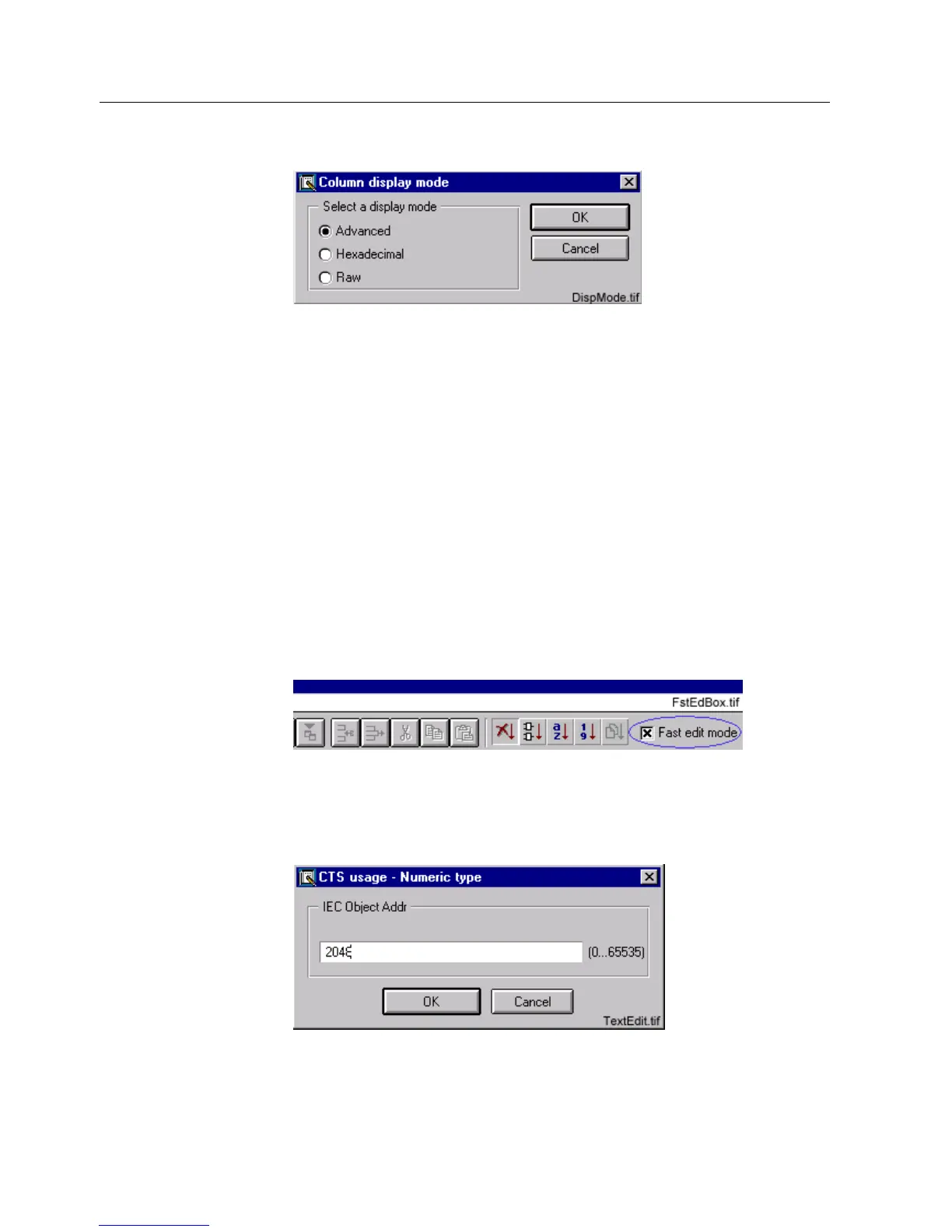
Choose, from the pop-up dialog, the column display mode that you want and
click OK.
)LJ 7KH&ROXPQGLVSOD\PRGHGLDORJ
All cell values in the edited column will have the same display mode. The settings
work for the column where at least one cell has been selected.
While showing the data, the cell text is converted to a decimal value and this value
is converted to a string in hexadecimal format. In case of a conversion error,
“#VALUE!#” is shown in the cell.
In the “raw” mode, direct cell editing is used for all column types. The cell text is
shown in the table as it is.
A column in a table can be described in the protocol configuration as “In Use”
column. For such a column, neither the column type nor the display format have any
meaning. The cell data can have one or two representations (“Yes” or “No”). Editing
is done in a pop-up dialog with combo pop-down control.
3.3.3. Fast edit mode
The “Fast edit” mode is enabled/disabled from the edit menu or by checking/
unchecking the box in the upper right corner of the main view. See Fig. 3.3.3.-1.
)LJ 7KH³)DVWHGLWPRGH´FKHFNER[
When this mode is enabled, a pop-up dialog appears on the screen when you select
one or several cells in a column (see Fig. 3.3.3.-2). All the cell data is edited in one
step. This concerns all general and protocol specific columns.
)LJ 7KH³7H[WHGLW´GLDORJ



 To Next Page