Chapter 4 – Electrical Installation
4-8 Installation and Start-up Guide for NBRA-6xx
ACS 600 Connection Ensure that the UDC+ and UDC– busses are properly connected to the
corresponding terminals of the ACS 600 (see Chapter 3 – Voltage
Selection and Mechanical Installation).
Note: The braking chopper must be earthed to ACS 600 chassis by
connecting a separate wire between a chopper earthing terminal and
an ACS 600 chassis terminal (see Figure 4-4 on previous page).
Resistor Cable
Connection
Connections at the braking resistor:
(For terminal tightening torques, consult resistor documentation.)
• Twist the screen wires together and connect them to the earthing
terminal, along with conductor no. 3 (if present).
• Connect conductor no. 1 to the R– terminal.
• Connect conductor no. 2 to the R+ terminal.
Connections at the braking chopper:
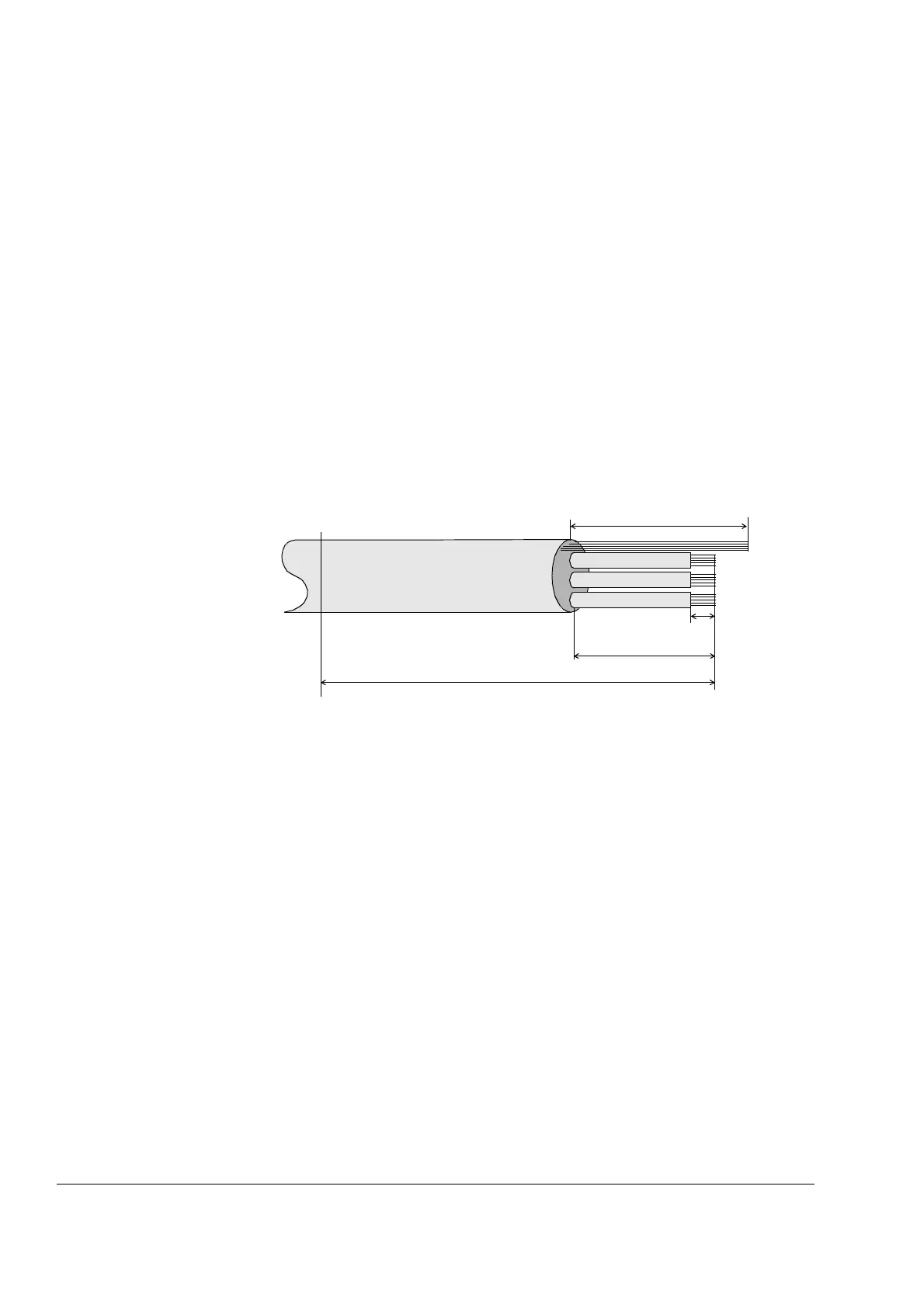
Figure 4-5 Resistor cable stripping diagram (braking chopper end).
All lengths are approximate.
• Cut and strip the cable as shown in Figure 4-5 above.
• Lead the cable through the cable entry into the converter unit.
• Slip the copper sleeve (inserted into the earthing clamp at the
factory) onto the outermost insulation of the cable so that insulation
and sleeve edges are aligned (see Figure 4-4).
• Bend the screen wires evenly backwards onto the copper sleeve.
• Unfasten the screen earthing clamp and slip it onto the screen wires
at the copper sleeve. Replace the clamp and tighten the fastening
screw to 3 Nm.
• Twist the screen wires together and connect them to one of the
earthing terminal posts on the chopper as shown in Figure 4-4.
Tighten the terminal to 1 Nm.
170 mm
10 mm
Gland Plate
Screen
35 mm
80 mm
1
2
3



 To Next Page