EasyManua.ls Logo

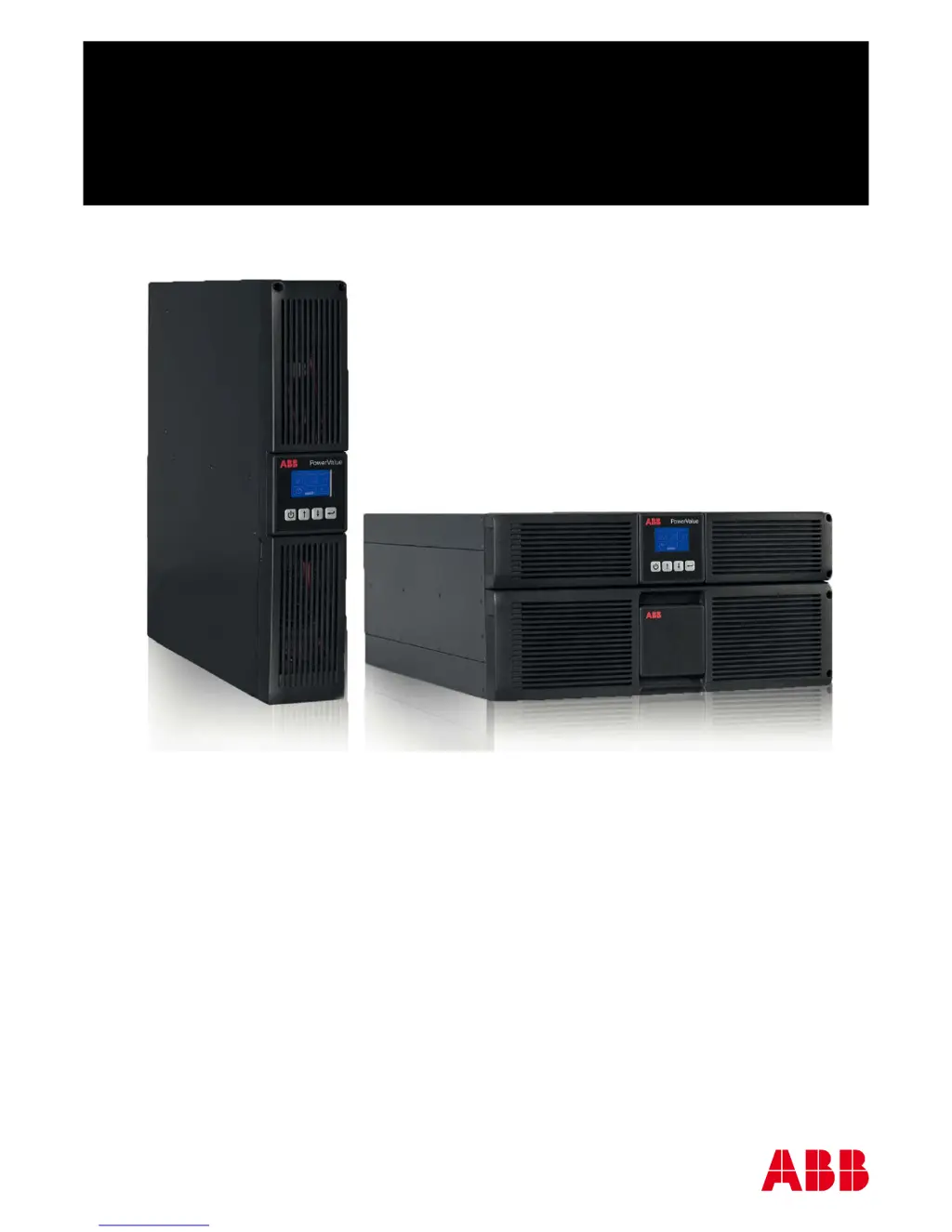
ABB PowerValue 11 RT - User Manual

ABB PowerValue 11 RT
192 pages
Print Icon
To Next Page IconTo Next Page
Loading...
PowerValue 11 RT
1-3 kVA B
1-3 kVA S
Quick guide

Other manuals for ABB PowerValue 11 RT

Questions and Answers

  • T
    tamara28Aug 20, 2025
    What to do if ABB UPS shows Site Wiring Fault Alarm Code 04?
    • G
      Gerald HurstAug 20, 2025
      The 'Site Wiring Fault' alarm on your ABB UPS indicates a difference of over 15V between the ground and neutral voltage, assuming a Grounding Neutral connection is present. Ensure that Site Fault detection is enabled in the LCD settings menu. Try reconnecting all input wires to resolve the issue.
  • T
    Travis BryantAug 22, 2025
    Why does my ABB PowerValue 11 RT UPS show Battery Disconnect Alarm Code 11?
    • R
      Rick EvansAug 22, 2025
      The 'Battery Disconnect' alarm on your ABB UPS may be caused by a blown fuse, an intermittent battery connection, or a disconnected battery cable. Verify that all batteries are properly connected.
  • R
    Ronald ZamoraAug 25, 2025
    What to do if my ABB UPS shows an overload alarm?
    • J
      Jennifer SandersAug 25, 2025
      If your ABB UPS indicates an overload (Alarm Codes 41, 42, or 43), it means the UPS is supporting more load than it is designed for. You should check the connected loads and remove some non-critical devices. Also, verify that none of the connected devices have any failures.
  • K
    Kevin MitchellAug 26, 2025
    How to fix ABB PowerValue 11 RT UPS inverter temperature high alarm?
    • C
      Cheryl GomezAug 26, 2025
      If your ABB UPS displays the message 'Inverter temperature high Alarm Code:86', it indicates that the internal temperature of the UPS is too high. To resolve this, check the UPS ventilation and the ambient temperature of the room.
  • T
    Teresa BrownAug 28, 2025
    What does 'Battery low Alarm Code:12' mean on my ABB PowerValue 11 RT?
    • A
      Ann DownsAug 28, 2025
      If your ABB UPS is showing 'Battery low Alarm Code:12', it means the battery voltage is low. If you hear an audible alarm every second, the battery is almost completely discharged.
  • V
    vosbornAug 29, 2025
    How to fix site fail alarm on ABB PowerValue 11 RT UPS?
    • T
      Timothy WilsonAug 30, 2025
      If your ABB UPS displays 'Site fail Alarm Code:04', it indicates that the phase and neutral conductors at the input of the UPS system are reversed. To correct this, rotate the mains power socket by 180° or properly connect the UPS system.
  • J
    jennifercollinsAug 31, 2025
    What does 'Battery open Alarm Code:11' mean on ABB PowerValue 11 RT?
    • F
      frederick11Aug 31, 2025
      If your ABB UPS shows 'Battery open Alarm Code:11', it means the battery pack is not correctly connected. Check if the battery bank is properly connected to the UPS and ensure the battery breaker is turned on.
  • T
    thomas28Sep 2, 2025
    What to do for 'Ambient temperature high Alarm Code:82' on ABB PowerValue 11 RT?
    • C
      Carrie MathewsSep 2, 2025
      If your ABB UPS displays 'Ambient temperature high Alarm Code:82', it means that the ambient temperature is too high. Ensure that the environment has adequate ventilation.
  • A
    Angela DonovanSep 5, 2025
    How to resolve 'Battery over voltage Alarm Code:16' on my ABB UPS?
    • L
      lfloresSep 5, 2025
      If your ABB UPS displays 'Battery over voltage Alarm Code:16', it indicates that the battery is overcharged. The system should automatically stop charging the battery. Charging will resume automatically once the battery voltage returns to normal and the mains power is stable.
  • D
    David BullockSep 6, 2025
    What causes 'Over temperature fault Alarm Code:81' on an ABB PowerValue 11 RT?
    • K
      kjenkinsSep 7, 2025
      If your ABB UPS displays 'Over temperature fault Alarm Code:81', it means the system has detected an over temperature condition. Check the ventilation around the UPS and ensure the ambient temperature and ventilation are adequate.

Summary

Safety Instructions

Safety Notices

Explains the meaning of WARNING, CAUTION, and NOTE indicators.

Safety Symbols

Describes the meaning of safety warning and danger symbols.

Battery Safety Precautions

Detailed safety guidelines for handling and working with UPS batteries.

General Safety Warnings

Critical warnings regarding battery handling and UPS cover removal.

Installation

Planning Before Installation

Guidelines for choosing a suitable location and environment for the UPS.

Rack Mount Installation

Steps for installing the UPS in a 19-inch rack.

Tower Installation

Steps for setting up the UPS in a vertical orientation.

Electrical Connections

Connection Types

Lists different UPS models and their corresponding figure references for connections.

Connection Legend

Explains the meaning of numbered ports and connectors on the UPS.

Operation

User Interface and Display

Overview of the UPS display and basic navigation.

UPS Start-up

Step-by-step guide for starting the UPS with mains power.

Cold Start Procedure

Instructions for starting the UPS without an active mains supply.

UPS Shutdown Procedure

Steps for safely shutting down the UPS with and without mains supply.

Troubleshooting

Problem Identification and Resolution

Table listing common UPS problems, their causes, and remedies.

Advanced Troubleshooting Scenarios

Addresses more complex issues like EPO activation, bus faults, and inverter faults.

ABB PowerValue 11 RT Specifications

General IconGeneral
TopologyDouble Conversion Online
Form FactorRack/Tower Convertible
Frequency50/60 Hz
Battery TypeVRLA (Valve Regulated Lead Acid)
Communication PortsUSB, RS-232, SNMP (optional)
Operating Temperature0°C to 40°C
Weight15 kg
Power Rating1 kVA to 10 kVA

Related product manuals