EasyManua.ls Logo

ABB VSN800 - User Manual

ABB VSN800
16 pages
Print Icon
To Next Page IconTo Next Page
Loading...
Solar monitoring
Product Manual
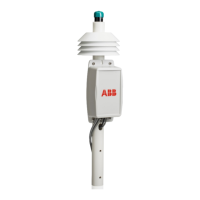
VSN800 Weather Station
Question and Answer IconNeed help?

Do you have a question about the ABB VSN800 and is the answer not in the manual?

Summary

VSN800 Weather Station Installation

Installation Overview

General introduction to installing the VSN800 Weather Station and its integration with the Aurora Vision platform.

Installation Steps

Sequential steps for installing the VSN800 Weather Station hardware.

Site Selection and Mounting

Guidelines for choosing an optimal location and mounting the weather station securely.

Mounting Requirements and Considerations

Details on mast securing, orientation, enclosure placement, and general mounting advice.

Sensor Mounting Requirements

Specific instructions for mounting pyranometers, anemometer, and PV temperature sensors.

Wiring and System Connections

Supply 24 VDC Power

Step-by-step instructions for connecting the 24VDC power supply to the weather station.

Cabling Requirements to Management System

Information on cable distance limits and recommended cable types for RS485 communication.

Connecting to the Monitoring System

Instructions for establishing the physical RS485 connection to the management system.

Connecting Secondary Sensors (VSN800-14)

Details on wiring the second pyranometer and PV temperature sensor for the VSN800-14.

Connecting PV Panel Sensor (VSN800-12)

Instructions for wiring the PV temperature sensor specifically for the VSN800-12 model.

Connections to VSN750 Series Products

Guidance on making power and RS485 connections to VSN750 series products.

System Configuration and Data Management

Southern Hemisphere Adjustment

How to set the hemisphere jumper for correct operation in the Southern Hemisphere.

RS485 Termination and Modbus Settings

Configuration of RS485 termination jumpers and default Modbus ID.

SunSpec Register Map

Overview of SunSpec registers for device information and measurements.

System Activation and Validation

Steps to activate the system and verify data flow with the management system.

Specifications

Material Specifications

List of materials used for various components of the weather station.

Hardware Specifications

Detailed technical specifications including power, environment, sensor performance, and serial communication.

Summary

VSN800 Weather Station Installation

Installation Overview

General introduction to installing the VSN800 Weather Station and its integration with the Aurora Vision platform.

Installation Steps

Sequential steps for installing the VSN800 Weather Station hardware.

Site Selection and Mounting

Guidelines for choosing an optimal location and mounting the weather station securely.

Mounting Requirements and Considerations

Details on mast securing, orientation, enclosure placement, and general mounting advice.

Sensor Mounting Requirements

Specific instructions for mounting pyranometers, anemometer, and PV temperature sensors.

Wiring and System Connections

Supply 24 VDC Power

Step-by-step instructions for connecting the 24VDC power supply to the weather station.

Cabling Requirements to Management System

Information on cable distance limits and recommended cable types for RS485 communication.

Connecting to the Monitoring System

Instructions for establishing the physical RS485 connection to the management system.

Connecting Secondary Sensors (VSN800-14)

Details on wiring the second pyranometer and PV temperature sensor for the VSN800-14.

Connecting PV Panel Sensor (VSN800-12)

Instructions for wiring the PV temperature sensor specifically for the VSN800-12 model.

Connections to VSN750 Series Products

Guidance on making power and RS485 connections to VSN750 series products.

System Configuration and Data Management

Southern Hemisphere Adjustment

How to set the hemisphere jumper for correct operation in the Southern Hemisphere.

RS485 Termination and Modbus Settings

Configuration of RS485 termination jumpers and default Modbus ID.

SunSpec Register Map

Overview of SunSpec registers for device information and measurements.

System Activation and Validation

Steps to activate the system and verify data flow with the management system.

Specifications

Material Specifications

List of materials used for various components of the weather station.

Hardware Specifications

Detailed technical specifications including power, environment, sensor performance, and serial communication.

ABB VSN800 Specifications

General IconGeneral
BrandABB
ModelVSN800
CategoryWeather Station
LanguageEnglish