VSN800 Weather Station Product Manual
- 13 -
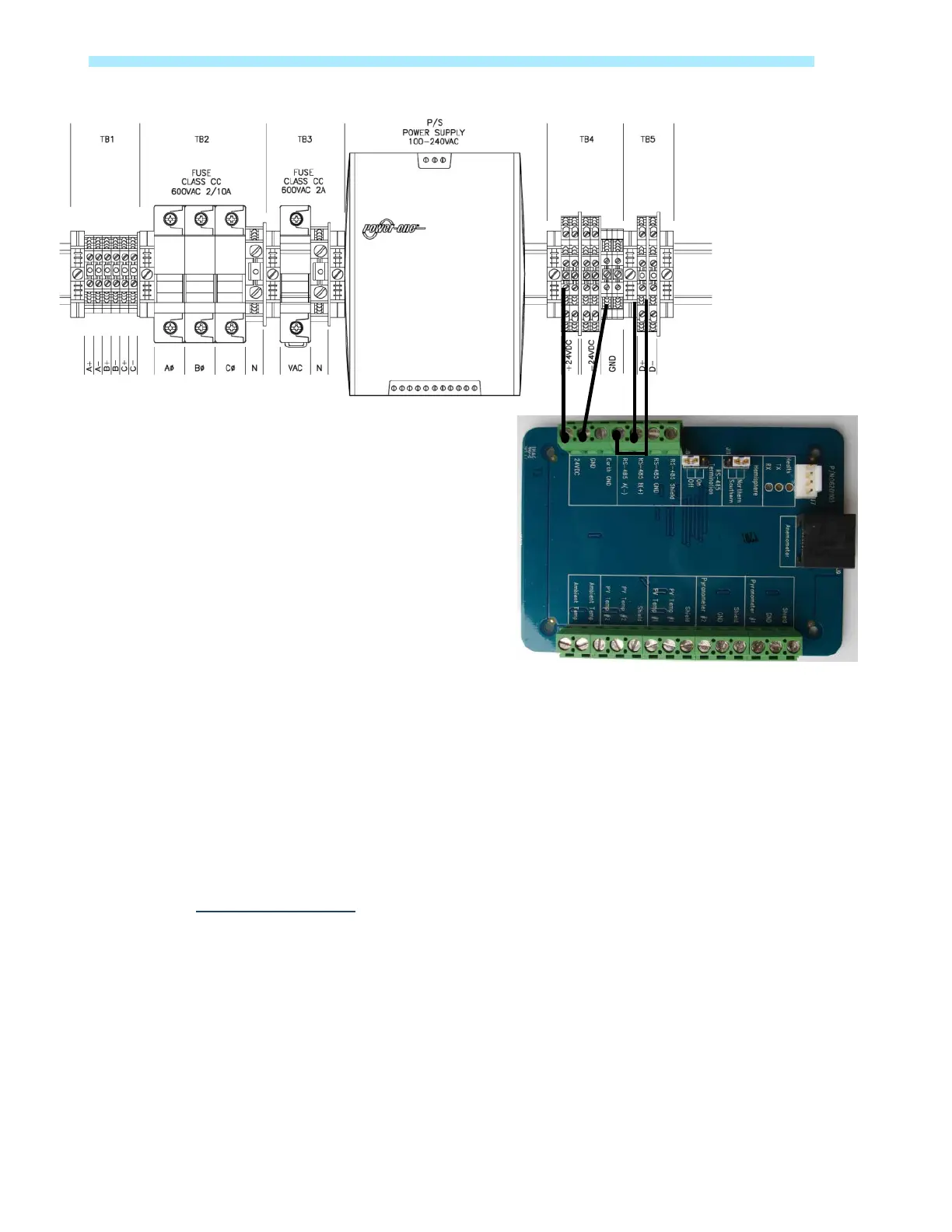
Weather Station Connection to VSN750 Series
System activation and validation
If you acquired the VSN800 series as part of a product bundle, please refer to the information
that came with your VSN750 series package. This information will describe the next steps for
product installation and system validation.
The management system must be properly installed and communicating before you can verify
that data is flowing form the VSN800 series weather station.
If you are using VSN800 series in conjunction with Plant Portfolio Manager software, go to
www.auroravision.net and log in to Plant Portfolio Manager with your account name and
password. Using your product license key, set up the connection to the VSN800 series
weather station.
Electronics Board


 To Next Page