Home
SECTION 3
20
SECTION 4
20
i-STAT
Alinity — Quick Reference Guide Art: 731848-01 Rev. M Rev. Date: 25-Jul-2022
A
B
D
F
G
C
E
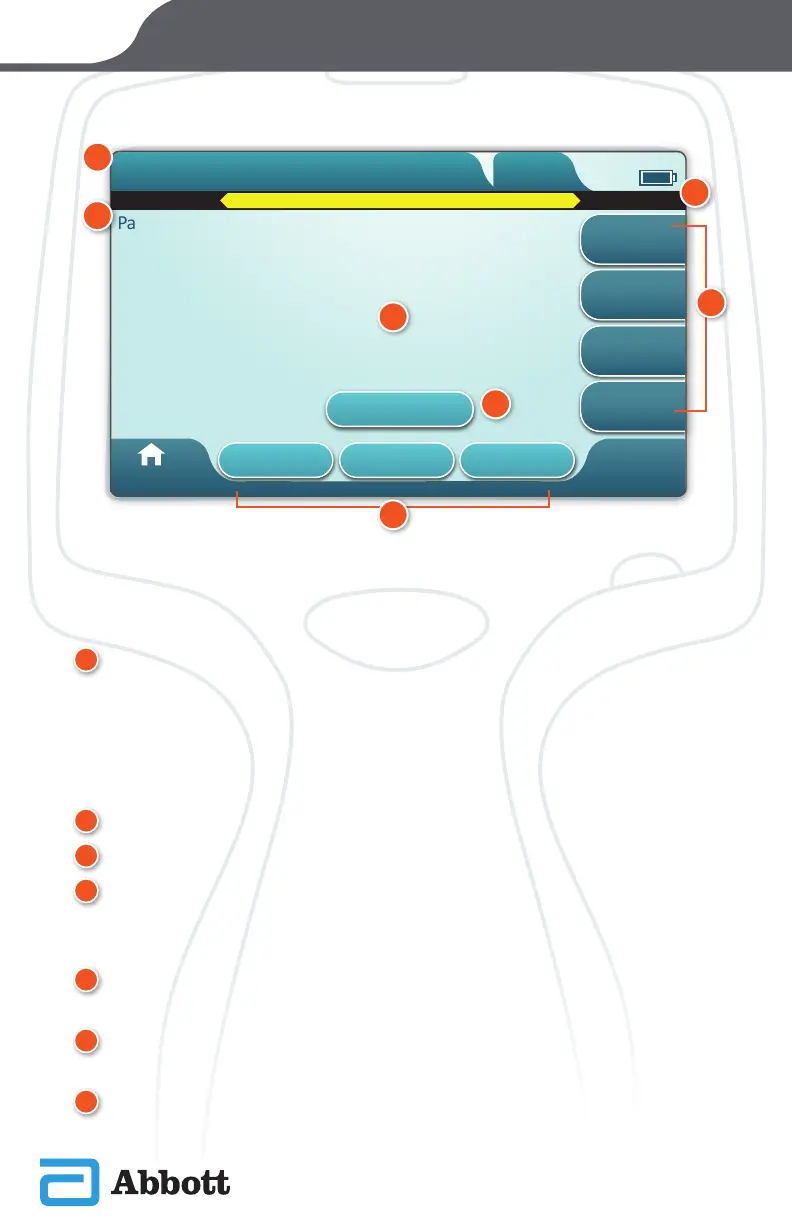
PATHWAY SCREEN
A generic pathway screen is shown in the example above.
ANATOMY OF A PATHWAY SCREEN
A
HEADER:
®
Identication Tab
¯
Displays details such as patient ID, cartridge name, liquid quality control
name
®
Header Action Tabs
¯
Provide options for screen navigation
B
PAGE TITLE
C
MESSAGE AREA
D
BODY:
®
Buttons in this area provide access to pathways , OR
®
Location of details such as data entry eld, help graphics, selection options
E
SIDE ACTION TABS:
®
Provide access to area or action indicated
F
ALERT BUTTON:
®
Provides access to Alerts description
G
ACTION BUTTONS:
®
Provide options for screen navigation












 To Next Page