SECTION 6
SECTION 7
37
i-STAT
Alinity — Quick Reference Guide Art: 731848-01 Rev. M Rev. Date: 25-Jul-2022
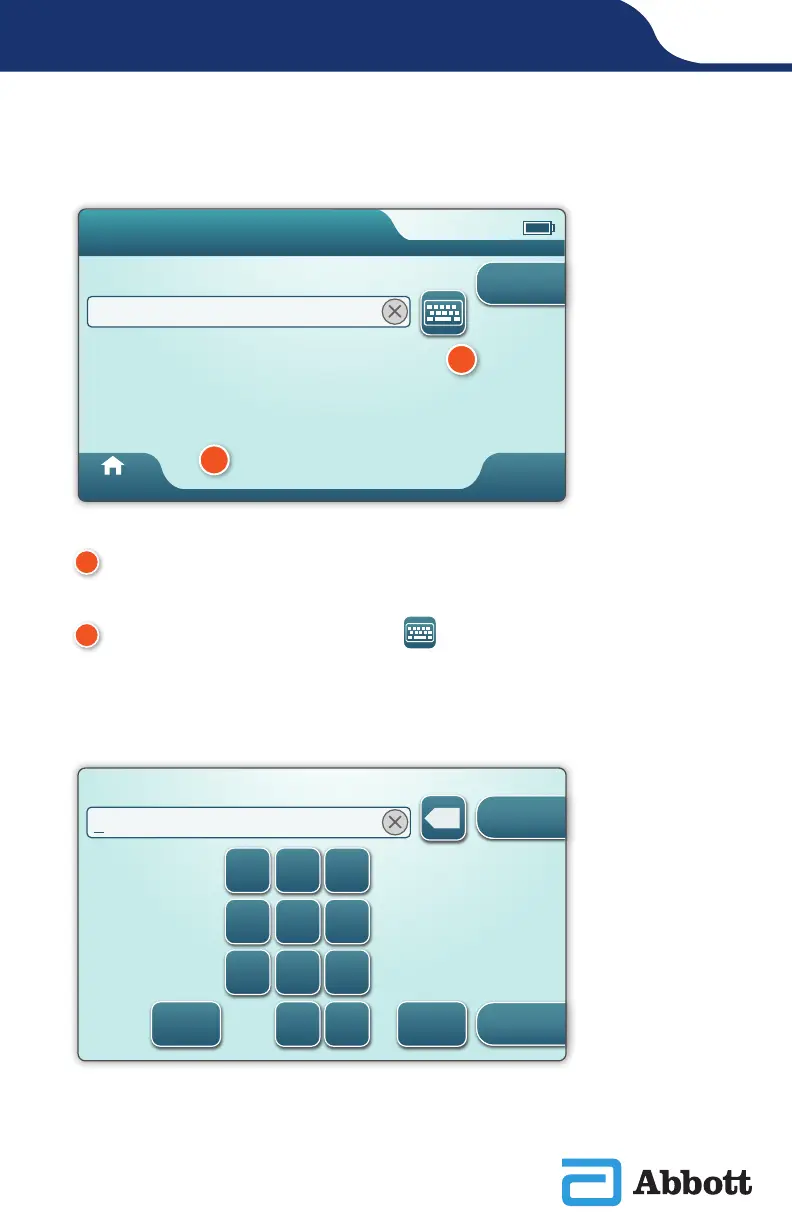
To begin: Scan or Enter OPERATOR ID
Scan or Enter OPERATOR ID
Home
Pa�ent Test
Next
A
On-screen graphic assists with scanning. After scanning is complete, the
instrument will advance to the next step in the pathway.
B
To enter information manually, touch icon. A numeric keyboard
displays automatically. For alpha, touch the Abc button. After entering the
information, touch Enter and the instrument will advance to the next step
in the pathway.
1 2 3
4 5 6
7 8 9
0 .Abc @#&
x
Enter OPERATOR ID and then touch Enter
Close
Enter
A
B












 To Next Page