Hardware Setup 2-11
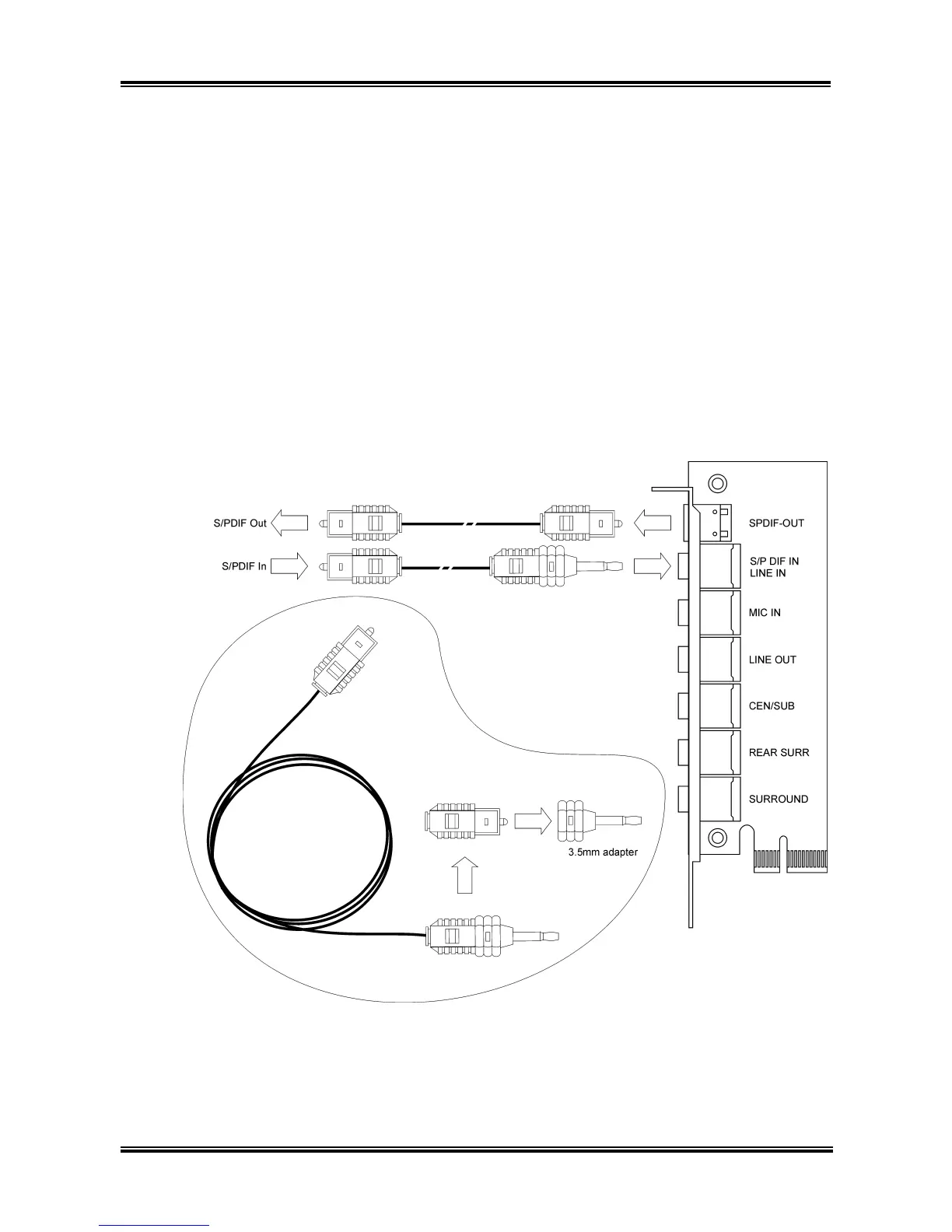
S/PDIF Connection:
Along with the motherboard package you can find an audio daughter-card and a roll of optical
fiber cable for S/PDIF connection.
• S/PDIF Input Connection:
1. Plug the end with 3.5mm adapter into the [JK1] jack on this daughter-card. (This jack is used
for either optical or line input.)
2. Remove the rubber protection-cap at the other end. Plug it into the [Digital-Out] (SPDIF-Out)
jack on your digital multimedia device.
• S/PDIF Output Connection:
1. Pull out the 3.5mm adapter at one end. Keep this adapter with its protection-cap covered in
save place. Plug the rest of this end into the [SPDIF-O] jack on this daughter-card.
2. Remove the rubber protection-cap at the other end. Plug it into the [Digital-In] (SPDIF-In) jack
on your digital multimedia device.
User’s Manual



 To Next Page