BIOS Setup 3-19
! SATA Mode:
This item displays the variety modes for SATA Mode.
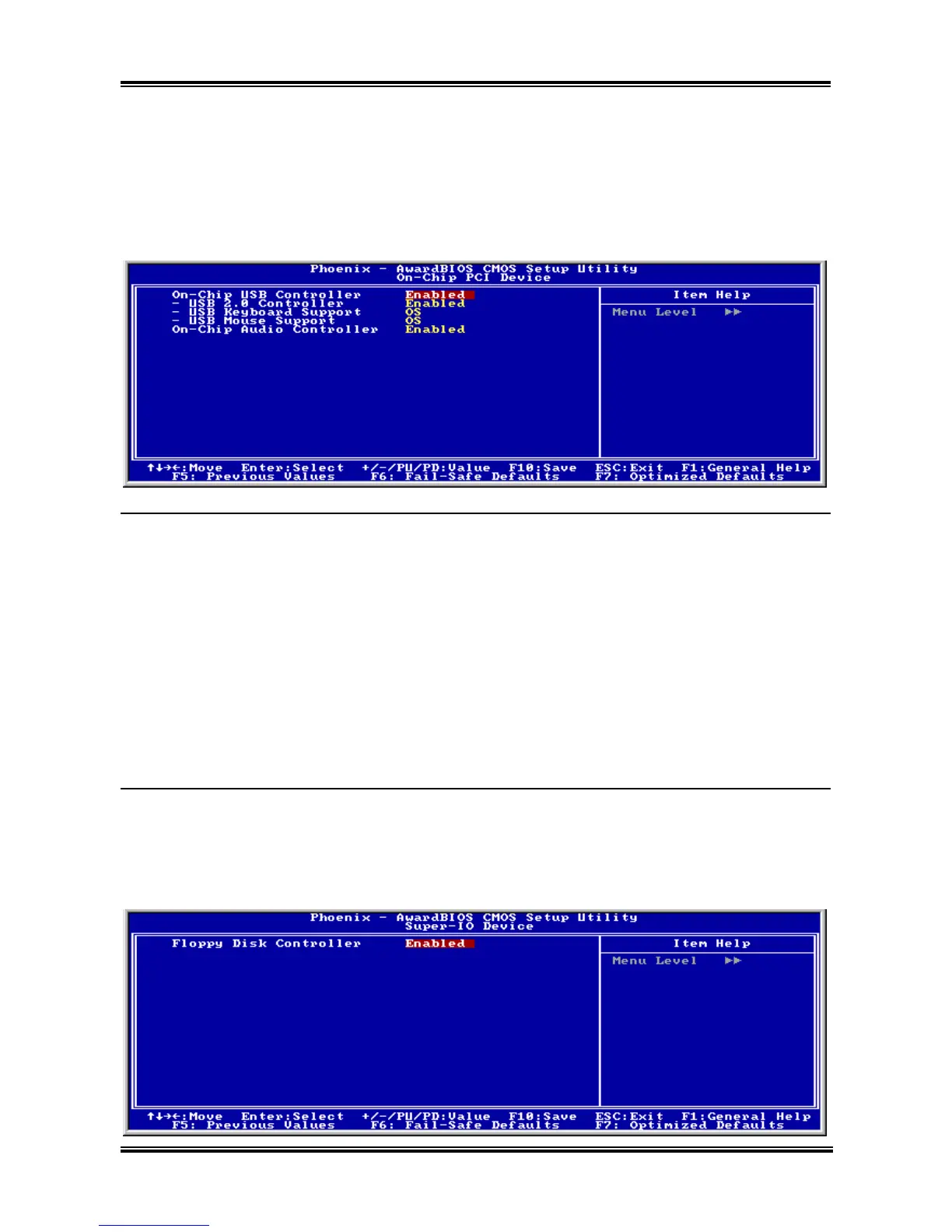
# On-Chip PCI Device:
Click <Enter> key to enter its submenu:
On-Chip USB Controller:
This option enables or disables the USB controller.
! USB 2.0 Controller:
This option enables or disables the USB 2.0 controller.
! USB Keyboard Support:
This item allows you to select [BIOS] for using USB keyboard in DOS environment, or [OS] in OS
environment.
! USB Mouse Support:
This item allows you to select [BIOS] for using USB mouse in DOS environment, or [OS] in OS
environment.
On-Chip Audio Controller:
This option enables or disables the audio controller.
# Super-IO Device:
Click <Enter> key to enter its submenu:
User’s Manual



 To Next Page