Installing the driver for Ultra ATA/66 D-1
User’s Manual
Appendix D Installing the driver for Ultra ATA/66
In this section we will detail the Ultra ATA/66 driver installation procedure when used with
various operating systems.
DOS
The Ultra ATA/66 BIOS supports DOS 5.x (or above) and Windows 3.1x without software
driver.
Windows 95
Step 1:
Install Windows 95 normally.
Step 2:
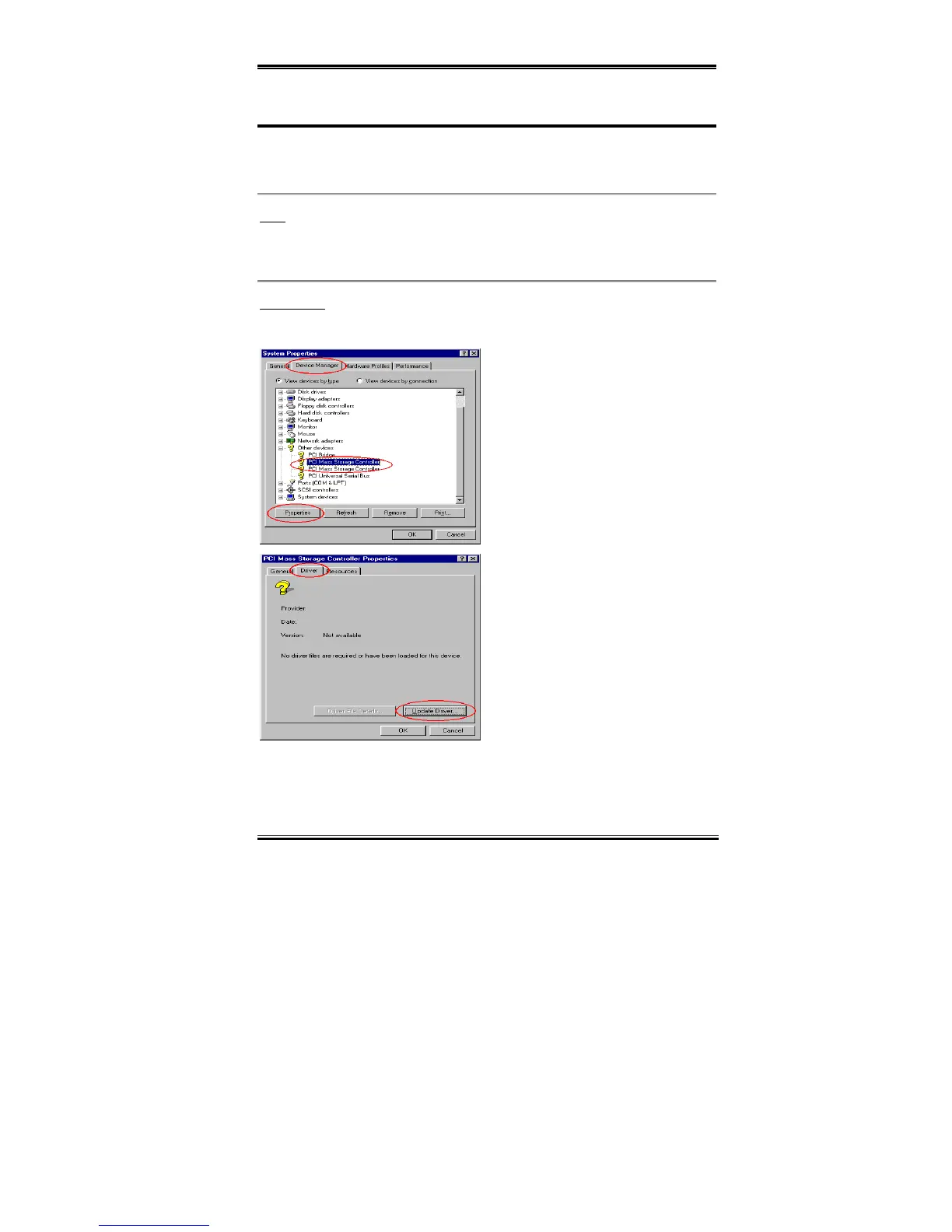
After you have finished installation
and entered Windows 95, please enter
“Control Panel” . “System”, and then
select “Device Manager” . “Other
Devices.”
Select one of the “PCI Mass Storage
Controllers” and then click “Properties.”
Step 3:
Select “Driver” and then click
“Update Driver.”


 To Next Page