D-12 Appendix D
BE6
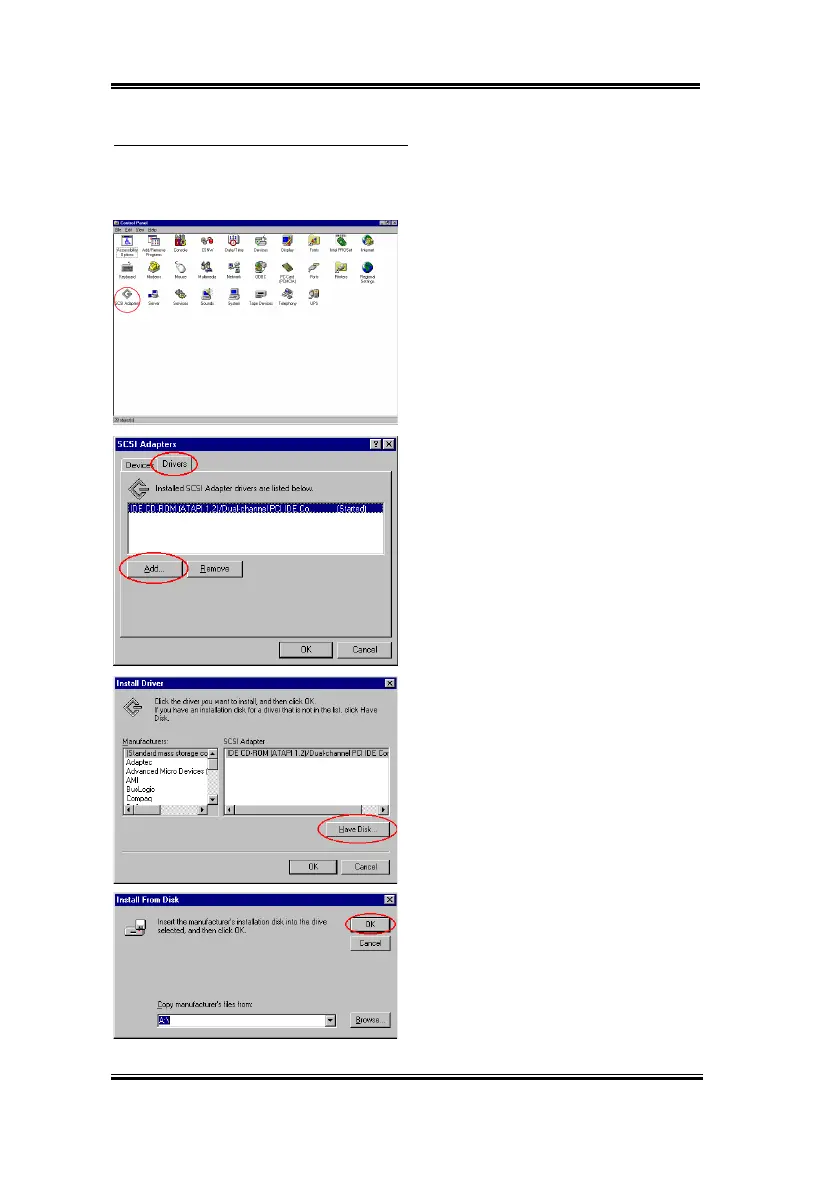
Installing drivers with existing Windows NT:
If there is an existing NT 4.0 file system, you can install the Ultra ATA/66 into the existing
system by following procedure:
Step 1:
Open "
Control Panel
", and then
enter "
SCSI Adapters
".
Step 2:
Select "
Drivers
", and then click
"
Add…
"
Step 3:
Click "
Have Disk…
"
Step 4:
Insert the Ultra ATA/66 driver disk
into drive A, and then click “
OK
.”



 To Next Page