Installing the driver for Ultra ATA/66 D-11
User’s Manual
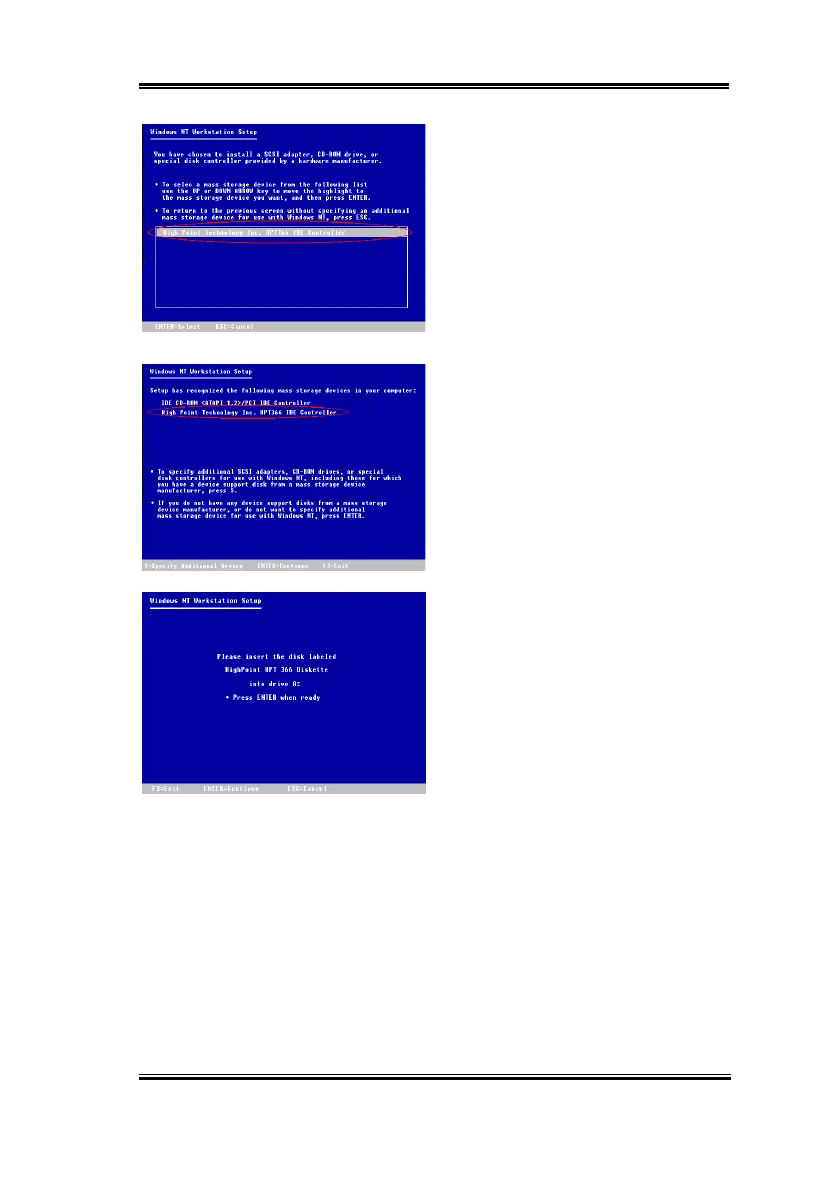
Step 5:
Please press "
ENTER
" to continue
setup.
Step 6:
The setup program will display a
message (see left figure) to inform you NT
setup has recognized the Ultra ATA/66
controller.
Press "
ENTER
" to continue setup.
Step 7:
After you configure your hard disk
and specify the installation path, the NT
setup will ask you to insert the Ultra ATA/66
driver disk into drive A again. Insert the
driver disk, and then press "
ENTER
" to
continue setup.
If you have followed the steps described above, you should be finished installing your Ultra
ATA/66 controller. For the rest of Windows NT installation steps, please follow the
instructions displayed in the NT setup program.



 To Next Page