1-8 IP35V
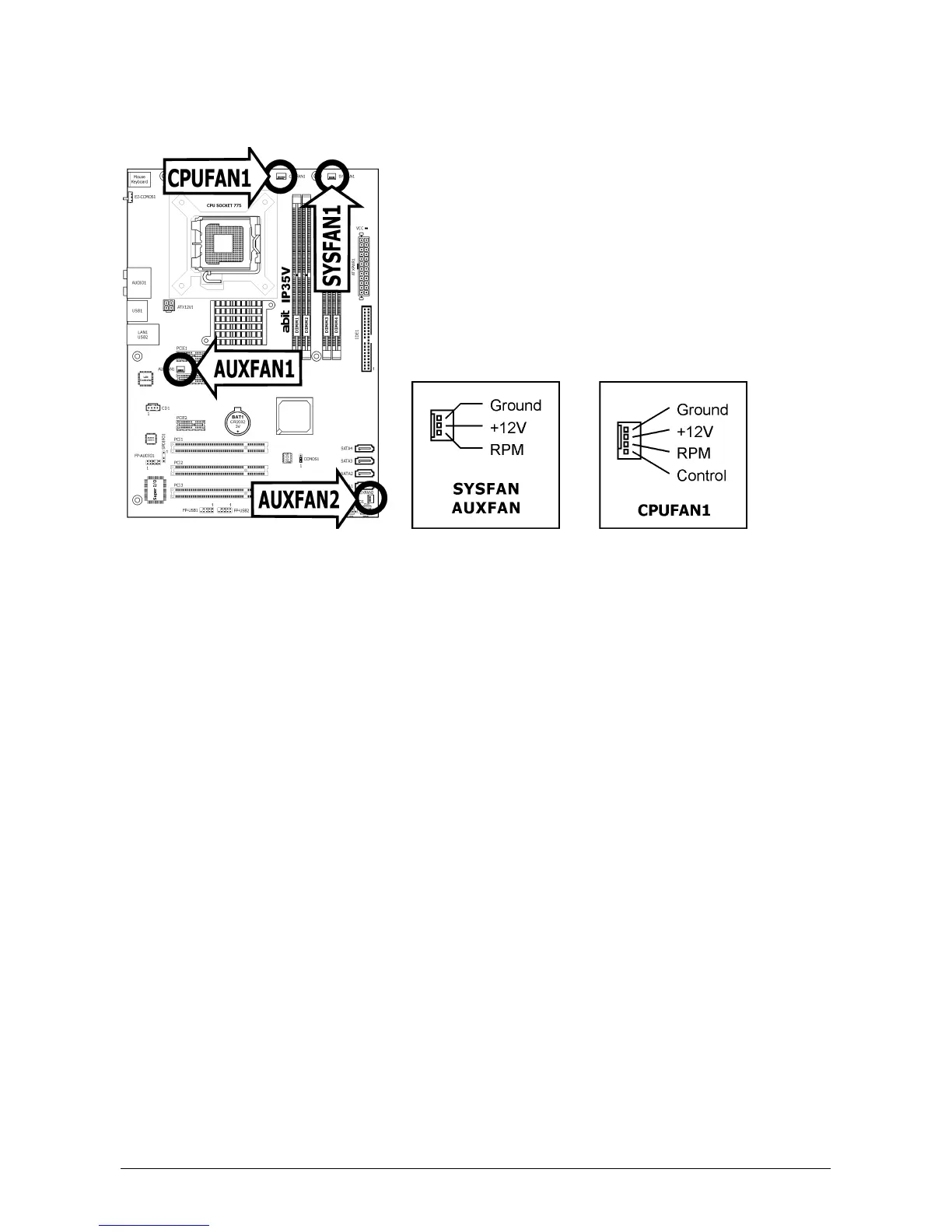
1.6.3 FAN Power Connectors
These connectors each provide power to the cooling fans installed in your system.
• CPUFAN1: CPU Fan Power Connector
• SYSFAN1: System Fan Power Connector
• AUXFAN1~2: Auxiliary Fan Power Connector
※ These fan connectors are not jumpers. DO NOT place jumper caps on these
connectors.
※ Either a
3-pin
or
4-pin
CPU cooling fan connected to the “CPUFAN1” connector
is still capable of having its fan speed controlled. Please refer to the BIOS setup
route: “PC Health Status” “ABIT FanEQ Control” “CPU FAN Type” to select
the one of your own.



 To Next Page