C-4 Appendix C
For KD7-G:
After entering the installation menu, move your
curser to [Driver] tab. Click [Broadcom Gigabit
LAN Driver]. The following screen appears.
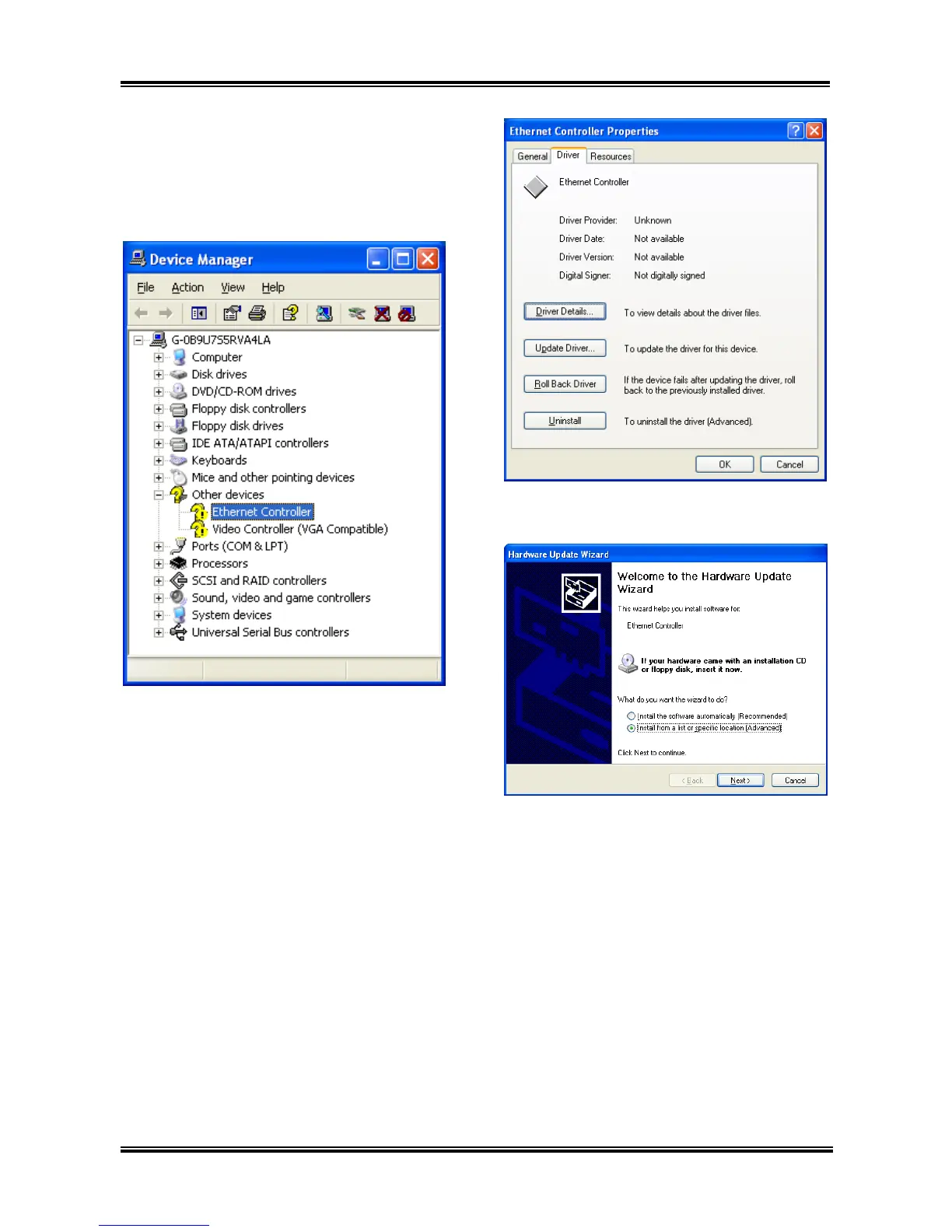
1. Check [Device Manager]. Click [Ethernet
Controller].
2. Select [Driver] tab in the [Ethernet
Controller Properties]. Click [Update Driver].
3. Check [Install from a list or specific
location], and then click [Next].
KD7 Series



 To Next Page