Ap1400V Installers’ Guide Page 11 of 15
10.2 FRONT FIXING
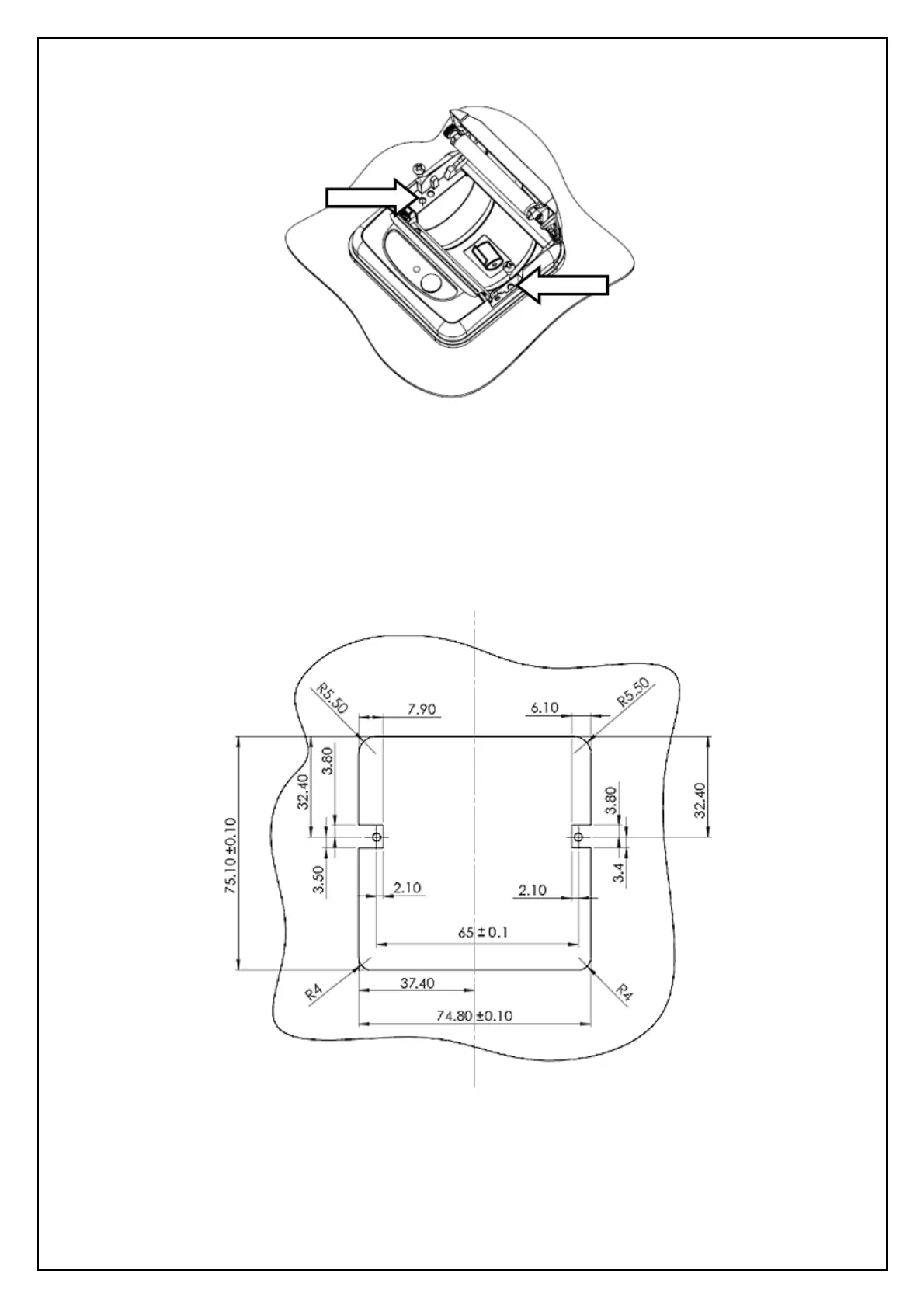
1) Open the lid of the printer and remove the two knock-outs using a small flat-headed screwdriver.
2) Prepare the panel aperture as described below.
3) Fit the printer to the panel and fix in place using two self-tapping screws as shown above (Ø 3mm
max, included in Ap1400VKIT).
4) Fit a paper roll and close the lid, checking the screw heads clear the lid.
5) Connect power and data leads as described in the ‘Connection Guide’ in this document.



 To Next Page