11
EN
Icon Color Description
esu ni si ksiD draH ehTneerG
Green
Airplane Mode is ON (the WLAN and Bluetooth Mod-
ules are OFF)
gnigrahC si yrettaB ehTegnarO
degrahC ylluF si yrettaB ehTneerG
he Battery Has Reached Critically Low Power Status
he AC/DC Adapter is Plugged In
nO si retupmoC ehTneerG
Blinking Green The Computer is in Sleep Mode
Table 2 - LED Indicators
Blinking Orange
Orange
T
T
Wireless Device Operation Aboard Aircraft
The use of any portable electronic transmission devices aboard aircraft is
usually prohibited.
Make sure the wireless modules are OFF if you are using the computer
aboard aircraft by putting the system in to Airplane Mode.
Keyboard & Function Keys
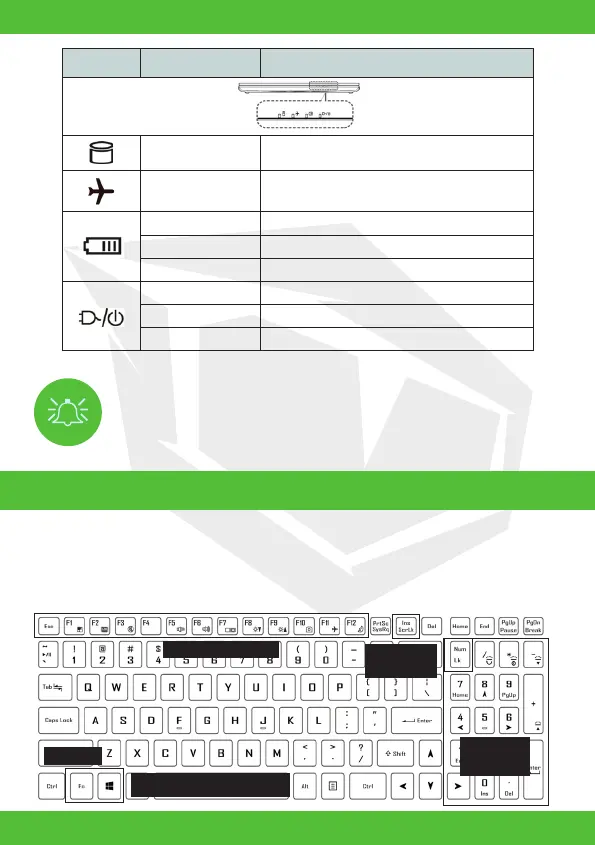
The keyboard includes a numeric keypad for easy numeric data input. Pressing Num Lk turns
on/off the numeric keypad. It also features function keys to allow you to change operational
features instantly. The function keys (F1 - F12 etc.) will act as hot keys when pressed
while the Fn key is held down. In addition to the basic function key combinations, some
visual indicators are available when the Control Center driver is installed.
Numeric
Keypad
Fn Key
Windows Logo Key
Scr Lk &
Num Lk
Function Keys



 To Next Page