EasyManua.ls Logo

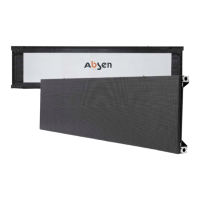
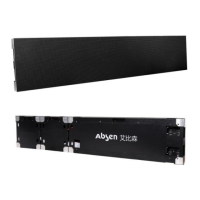
Absen NX Series - User Manual

Absen NX Series
52 pages
Print Icon
To Next Page IconTo Next Page
Loading...
NX Series Product User Manual
NX1.5/NX1.8/NX2.5/NX3.7
Shenzhen Absen Optoelectronic Co.,Ltd.

Questions and Answers

  • B
    Brittany LeeAug 13, 2025
    How to fix some modules not lighting on Absen Monitor?
    • I
      Isaiah FosterAug 13, 2025
      If some modules on your Absen Monitor aren't lighting up, here are some things to check: * Ensure the power plug of the module is securely inserted. * Inspect the power cable for any signs of burning. * Verify the switch power supply of the module is outputting power. * Check the flat cable for malfunctions; if needed, replace it. * Consider replacing the module or the receiving card. * Try sending the rcfg file.
  • P
    Paula CoxAug 16, 2025
    What to do if the whole screen is not lighting on Absen Monitor?
    • S
      Stephanie WilliamsAug 17, 2025
      If your entire Absen Monitor screen isn't lighting up, try these steps: * Make sure the screen power is turned on. * Check that the DVI or HDMI cable is securely connected. * Ensure the main data cable is tightly inserted. * Verify the sending card is powered on and the running indicator is flashing. If these steps don't work: * Try replacing the sending card. * Connect your computer to an LCD display to check the video card output. * Update the video card driver or replace the computer if necessary.
  • B
    bbeckAug 20, 2025
    What to do if Absen NX Monitor screen show scramble d image?
    • R
      Ryan JohnsonAug 21, 2025
      If your Absen Monitor screen is showing a scrambled image, try the following: * Ensure the receiving card's power plug is securely inserted and that the power cable isn't burnt out. * Check that the power supply is outputting power. * Inspect the receiving card's data cable; replace it if necessary. * Try sending the rcfg file. * Consider upgrading the firmware version of the receiving card or replacing the receiving card.
  • A
    Allison BerryAug 25, 2025
    Why is there chromatic aberration between modules on my Absen Monitor?
    • M
      Michael MaloneAug 25, 2025
      If your Absen Monitor displays chromatic aberration between modules, take these steps: * Ensure the module power plug is tightly plugged. * Try replacing the flat cable or the power supply. * If the issue persists, consider replacing the module.
  • N
    Noah CastanedaAug 28, 2025
    How to fix all LED panels displaying the same content on Absen Monitor?
    • S
      sherrygarciaAug 28, 2025
      If all LED panels on your Absen Monitor are displaying the same content, try these solutions: * Set the screen connection in the software. * Check whether the data port is connected to the correct port.
  • M
    markstoneAug 31, 2025
    What to do if no control system detected on Absen Monitor?
    • T
      taylorpetersSep 1, 2025
      If the control system isn't being detected on your Absen Monitor, try these steps: * Check the USB cable and ensure it's properly connected. * Verify if the computer's USB port is working correctly. * Try updating the USB driver. * If the problem persists, try replacing the USB cable or the sending card.
  • K
    Kelsey GonzalezSep 4, 2025
    What to do if no multi-function card detected on Absen Monitor?
    • A
      Allen ArellanoSep 4, 2025
      If no multi-function card is detected on your Absen Monitor, consider the following: * Check if the distribution cabinet is in automatic state. * Verify the multi-function card is receiving power; if not, replace its power supply. * Ensure the main data cable is correctly inserted into the appropriate data port. * Check the sending card data port for malfunctions. If these steps don't resolve the issue: * Try re-adding the multi-function card. * Consider replacing the multi-function card or the sending card.
  • C
    Cameron DunnSep 9, 2025
    How to fix no full screen display on Absen Monitor?
    • K
      Kathleen RamosSep 9, 2025
      To resolve a 'no full screen display' issue on your Absen Monitor, check the following: * Ensure the playback window settings are normal. * Verify the output resolution of the video processor. * Check the output window settings of the video processor.

Summary

Safety Information

Essential Safety Marks and Warnings

Essential safety marks and general advisory notes on hazards.

Electric Shock Prevention Guidelines

Guidelines to prevent electrical hazards during installation and operation.

Fire, Injury, and Load Safety Alerts

Critical warnings regarding fire hazards, physical injury, and load safety.

Product Disposal and Recycling Guidance

Guidance on responsible end-of-life product disposal and recycling.

Product Introduction

NX Series Design Concept

Explains the 'X' element and 'honeycomb' design of the NX series.

Product Application Environments

Details various indoor environments where the product can be deployed.

Main Features

Structural Design and Materials

Describes the physical construction, materials, and assembly features.

Advanced Feature Design

Covers advanced features like brightness, resolution, and calibration technology.

Product Parameters

800 nits Brightness Technical Specs

Technical specifications for the 800nits brightness configuration.

1500 nits Brightness Technical Specs

Technical specifications for the 1500nits brightness configuration.

Product Components and Size

Cabinet Dimensions and Drawings

Visual representations and dimensions of the large and small cabinets.

LED Module Dimensions

Dimensions and layout of the individual LED modules.

960*540 mm Cabinet Components

Identification of key parts and features on the 960*540mm cabinet.

240*540 mm Cabinet Components

Identification of key parts and features on the 240*540mm cabinet.

Product Installation

Required Installation Tools

Essential tools required for product installation procedures.

Cabinet Stacking Installation

Instructions and accessories for stacking cabinets vertically and horizontally.

Hanging Installation Procedure

Instructions and accessories for mounting the display using hanging beams.

Wall Mounting Installation

Procedures and accessories for securing the display to a wall.

Frame Kit Installation Steps

Steps for installing the frame kit for mounting cabinets.

Product Wiring

Pre-Wiring Preparation

Pre-connection checks and considerations for power and signal cables.

Power Cable Connection

Instructions for connecting power cables between cabinets and to the power source.

Signal Cable Connection

Instructions for connecting data cables for signal transmission.

Electric Circuit Test

Steps for verifying circuit integrity before powering on the display.

Product Maintenance

Maintenance Preparation Tools

Tools required for performing maintenance tasks on the display.

Module Maintenance Steps

Steps for removing, replacing, and maintaining LED modules.

Board and PSU Maintenance Procedures

Procedures for maintaining HUB boards, receiving cards, and power supply units.

General Maintenance Precautions

Important safety and operational guidelines during maintenance.

Troubleshooting and Solutions

Solutions for common problems encountered with the LED display.

Absen NX Series Specifications

General IconGeneral
SeriesNX Series
Refresh Rate3840Hz
Contrast Ratio5000:1
Lifespan100, 000 hours
Cabinet Size500mm x 500mm
Viewing Angle160°

Related product manuals