Need help?
Do you have a question about the Absen N Plus Series and is the answer not in the manual?
Read safety measures, guidelines, warnings, and precautions before operation.
Follow warnings for fire hazards, electrical shock, and proper grounding during installation and operation.
Adhere to warnings regarding hot surfaces, physical injury, eye protection, ESD, and environmental limits.
Information on recycling components with a bin label and contacting local waste management units.
Overview of N Plus Series LED displays, their features, and applications.
Detailed dimensions and diagrams of the N Plus Series cabinets and modules.
Comprehensive technical specifications including LED type, pixel pitch, brightness, refresh rate, and operating parameters.
Highlights key features such as stylish design, smart monitoring, versatile maintenance, and superior display quality.
Details cabinet parts, module structure, magnetic modules, and rotation for installation.
Illustrates and describes various signal and power cables used for connecting the LED display.
Presents the different packaging methods for the product, including carton and wooden case packing.
Details the processes for front and rear installation using mounting hardware and connection plates.
Describes using a sub-frame with bolts and plates for fast installation onto structures or walls.
Outlines the wall mounting process and provides detailed steps for securing cabinets to the wall.
Instructions for preparing and connecting the power supply, including checking AC input and selecting cables.
Explains power cable sizing and network cable connection, including pixel load limits.
Lists the necessary tools for maintenance, including a front maintenance tool, multimeter, and screwdrivers.
Demonstrates how to use the front maintenance tool to detach modules from the front.
Details rear maintenance procedures, including accessing power supply and receiving cards.
Explains using a multimeter to check for short circuits at AC input and DC output terminals before powering on.
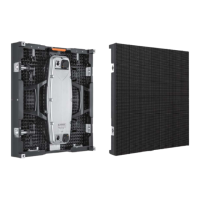
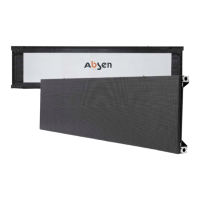
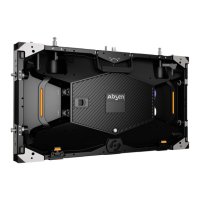
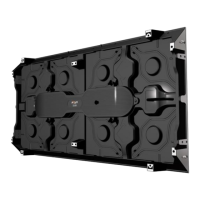
The Absen N Plus Series is a range of indoor fixed-mounted high-definition LED displays designed for various professional applications. The series includes models N1.8 Plus, N2 Plus, N3 Plus, N4 Plus, N4D Plus, and N5 Plus, each offering unique competitive advantages.
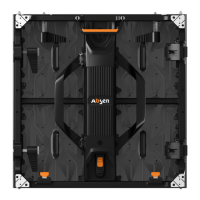
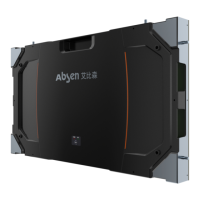
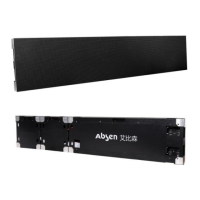
The N Plus Series displays are designed to provide high-definition visual content in a variety of indoor settings. They feature a long rectangular shape with a full aluminum structure, resembling a tablet. The product is equipped with a smart monitoring system, allowing for real-time monitoring of screen operation via PCs, tablets, mobile phones, and other smart terminals. The fan-less design for both the cabinet and power supply ensures quiet operation and exceptional heat dissipation. These displays are primarily used in hotel ballrooms, TV stations, commercial chain stores, branded snack stores, transportation hubs, supermarkets, banks, churches, airports, railway stations, theaters, company lobbies, high-end clubhouses, museums, and large conference rooms.
The N Plus Series offers various pixel pitches, ranging from 1.89mm (N1.8 Plus) to 5.14mm (N5 Plus). All models feature Black SMD LEDs, with SMD1515 for N1.8 Plus and N2 Plus, and SMD2121 for N3 Plus, N4 Plus, N4D Plus, and N5 Plus.
The N Plus Series holds various certifications including TUV-CE+RoHS+UL+FCC for N1.8 Plus and N2 Plus, and TUV-CE+RoHS+ETL+FCC for N3 Plus, N4 Plus, N4D Plus, and N5 Plus.

 To Next Page
 General