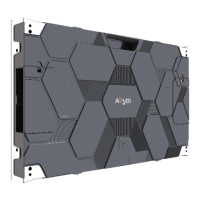
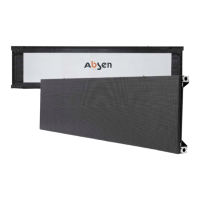
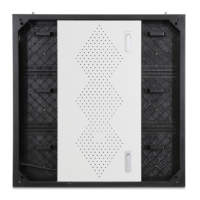
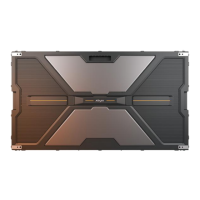
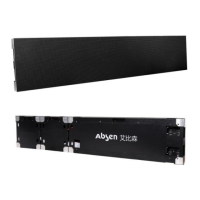
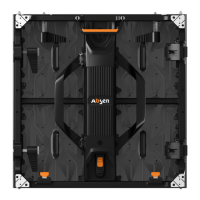
The Absen New HC Series is a high-definition, small-pitch LED display screen specifically designed for control rooms, meeting rooms, and high-end business displays. The cabinet measures 600x337.5mm, designed in a 27-inch 16:9 ratio, and offers various pixel pitches including P1.5, P1.2, P0.9, and P0.7 to ensure detailed image display.
Function Description:
The HC Series products are primarily used in professional control rooms, meeting rooms, and high-end business display environments. They are designed to provide high-quality visual output for critical applications where image detail and reliability are paramount. The display cannot store or display video content independently; it requires a video source from an output device such as a PC, laptop, or media player, and one or more sending boxes to receive and feed the source.
Important Technical Specifications:
The New HC Series includes five product variations: HC0.7 Pro II, HC0.9 Pro II, HC1.2 Pro II, HC1.2 II, and HC1.5 II.
- LED Type: HC1.2 II and HC1.5 II utilize traditional 3-in-1 SMD surface patch technology, while HC0.7 Pro II, HC0.9 Pro II, and HC1.2 Pro II feature 4-in-1 integrated encapsulation.
- Pixel Pitch (mm): Ranges from 0.78 (HC0.7 Pro II) to 1.56 (HC1.5 II).
- Panel Dimensions (WxHxD): All models share a consistent cabinet size of 600x337.5x50mm.
- Pixel Per Panel: Varies by model, e.g., 768x432 for HC0.7 Pro II, 384x216 for HC1.5 II.
- Panel Weight (kg): Approximately 5.2 to 5.9 kg, with all panels made of Al Die-Casting.
- Module Dimensions (WxH): 150 x 168.75mm for HC0.7 Pro II and HC0.9 Pro II; 150 x 337.5mm for HC1.2 Pro II, HC1.2 II, and HC1.5 II.
- Brightness (nit): All models offer a brightness of 600 nit.
- Refresh Rate (Hz): Ranges from 2880 Hz (HC0.9 Pro II) to 3840 Hz for other models.
- Gray Scale (bit): 15-bit for HC0.7 Pro II and HC0.9 Pro II; 14-bit for HC1.2 Pro II, HC1.2 II, and HC1.5 II.
- Contrast Ratio: Ranges from 3000:1 to 5000:1.
- Color Temperature (K): 6500K.
- Viewing Angle (H/V): Generally 160/120 degrees, with some variations like 160/125 for HC0.9 Pro II and 160/140 for HC1.5 II.
- AC Operating Voltage (V): 100~240V.
- Power Consumption (Max./Avg.)(W/m²): Varies by model, e.g., 340/115 for HC0.7 Pro II, 420/140 for HC1.5 II. Power consumption tolerance is ±15%.
- Operating Temperature (°C): -10~+40.
- Storage Temperature (°C): -40~+60.
- Operating Humidity (RH): 10%~80%.
- IP Rating (Front/Rear): IP40/IP21.
- Installation Type: Fixed.
- Certificates: FCC, CE, etc.
Usage Features:
- 4-in-1 Integrated Encapsulation (HC0.7 Pro II, HC0.9 Pro II, HC1.2 Pro II): This technology enhances moisture resistance, reduces solder points by 50% for better stability, improves anti-collision capability by 2.5 times, and enhances product flatness.
- HBB Energy-Saving Technology (HC0.7 Pro II, HC0.9 Pro II, HC1.2 Pro II): Accurately controls drive chip voltage, reducing power consumption by 20% and improving heat dissipation and contrast ratio.
- Cabinet Design: Integrally formed by die-casting aluminum alloy, ensuring high precision, good flatness, resistance to deformation, and efficient heat dissipation. It features a honeycomb design and hidden wire covers for a clean, integrated appearance.
- Seamless Splicing: The 27-inch 16:9 ratio allows for seamless splicing into FHD/4K/8K display screens. For example, FHD can be achieved with a 5x5 arrangement of HC1.5 II cabinets (135 inches).
- Floating Connectors: Between the module and the HUB, these allow for fine adjustment of splicing gaps to eliminate bright or dark lines.
- Magnetic Attraction Modules: Enable wireless connection, quick assembly, and disassembly without screws or detaching wires.
- Redundancy: Supports dual power supplies and dual receiving cards for enhanced reliability (MTBF > 5000H, suitable for 7x24 operation).
- Safety and Stability: Strong anti-interference capability, low radiation. Satisfies IEC TR62778-2014 Blue Light Hazard and EN62471: 2008 Photobiological Safety Test, ensuring eye comfort during long-term viewing.
- Quiet Operation: Fanless design for both cabinet and power supply, resulting in a quiet working environment (< 25db).
- High Visual Performance: High gray scale, high refresh rate, high gray in low light, high contrast, no ghosting, and no caterpillar phenomenon, ensuring excellent display effects.
- Point-by-Point Correction: Supports Absen's new generation A5C+ technology for uniform and better picture quality. Modules store their own correction data, allowing replacement modules to automatically import data.
- Energy Saving Mode: Black Screen Automatic Energy Saving Technology automatically enters energy-saving mode for black screens or black screen images.
- Installation: Supports fixed installation mode, quick and flexible installation.
Maintenance Features:
- Full Front Maintenance: Modules, power supplies, receiving cards, and HUBs can all be maintained from the front.
- Preparation Tools: Includes a module front service tool, PH2 cross screwdriver, PH00 cross screwdriver, and a multimeter.
- Module Maintenance:
- Use the front service tool to suck out the module by pressing its button. Hold the module by hand and release the button to remove it.
- For HC0.7 Pro II and HC0.9 Pro II (small PCB), a dedicated small PCB module maintenance tool is required.
- When removing a module, ensure the tool is placed in the middle of a single module and does not cross over to adjacent modules.
- Hold the module with your hand to prevent it from falling due to low power or accidental startup of the maintenance tool.
- New modules are installed by gently placing them in the upward direction onto the cabinet.
- HUB Board/Receiving Card/Power Supply Maintenance:
- First, remove all modules on the faulty cabinet using a vacuum maintenance tool.
- Use a PH2 cross screwdriver to remove 12 screws from the HUB.
- Remove the power supply and network cable from the HUB, then remove the HUB itself.
- For receiving card replacement, use a PH2 cross screwdriver to remove two screws fixing the receiving card.
- For power supply replacement, use a PH2 cross screwdriver to remove the PM3 round head screw, remove the black insulation, and then use a PH00 cross screwdriver to remove the PM2 round head screw fixing the power supply.
- Troubleshooting: The manual provides a comprehensive troubleshooting guide for common faults such as black modules, a completely black screen, scrambled images, chromatic aberration between modules, and all panels displaying the same content. Solutions range from checking cable connections and power supply to replacing components like modules, receiving cards, sending cards, or updating firmware/drivers.
- Safety Check: Before operation, always use a multimeter to check for short circuits at the AC input (L/N/PE) and DC output (VCC/GND) of the power supply after cabinet wiring. Ensure all wirings are normal before connecting power.



 To Next Page
 General