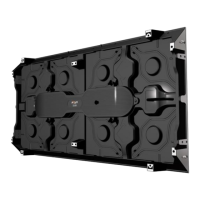
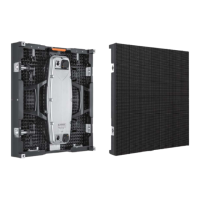
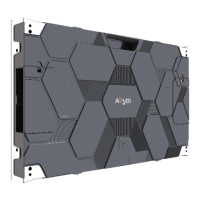
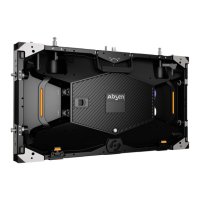
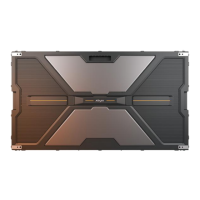
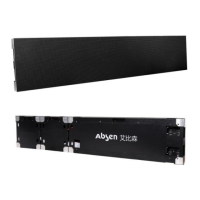
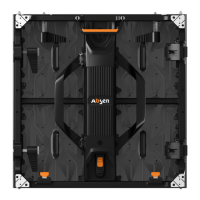
The Absen K3/K3D/K5/K5D series are indoor fixed-mounted LED displays designed for a wide range of indoor applications. These displays are characterized by their light and thin cabinet design, magnetic modules, and support for both front and rear installation and maintenance.
Function Description
The Absen K3/K3D/K5/K5D series LED displays are primarily used for visual communication and entertainment in various indoor settings. Their high-definition capabilities ensure excellent and clear display effects, making them suitable for environments where visual quality is paramount. The displays are designed to be versatile, offering flexible installation and maintenance options to suit different architectural and operational requirements.
Typical applications include:
- Hotel ballrooms
- TV stations
- Commercial chain stores
- Branded snack stores
- Transportation hubs
- Supermarkets
- Banks
- Churches
- Airports
- Railway stations
- Theaters
- Company lobbies
- High-end clubhouses
- Museums
- Large conference rooms
- Other indoor applications requiring high-quality visual displays.
The displays are capable of showing various content, including video, images, and text, with high grayscale and low brightness performance, highlighting exceptional display effects. The parallel connection for power and signals minimizes potential damage, enhancing reliability.
Important Technical Specifications
The K3/K3D/K5/K5D series offers different pixel pitches and configurations to meet diverse visual requirements.
General Parameters:
- Cabinet Dimension (L×W×H): 750×750×77 mm
- Cabinet Material: Steel
- Cabinet Weight: 15-16 kg/cabinet
- Module Size (L×W): 250×250 mm
- Typical Product Life: 100,000 hours
- Cabinet Installation Method: Fixed Installation
Pixel Configuration and Pitch:
- K3/K3D:
- Pixel Configuration: SMD 2121
- Pixel Pitch: 3.9 mm
- Pixel Matrix per Cabinet: 192×192
- K5/K5D:
- Pixel Configuration: SMD 2121
- Pixel Pitch: 5.2 mm
- Pixel Matrix per Cabinet: 144×144
Electronic Parameters:
- Color Grayscale: 16 Bit
- Grey Scale per Color: 65536 Level
- Refresh Rate: ≥960 Hz
- Drive Mode:
- Picture Frame Frequency: 50/60 Hz
- Signal Transmission Distance:
- CAT5 cable: < 100 m
- Single mode fiber: < 10 km
Optical Parameters:
- Brightness: 1000 cd/m²
- Color Temperature: 7500 K
- Horizontal Viewing Angle: 140°
- Vertical Viewing Angle: 140°
Electrical Parameters:
- AC Input Voltage: 110 or 220 V
- AC Input Frequency: 50/60 Hz
- Maximum AC Input Power (W/m²):
- K3: 570
- K3D: 580
- K5: 550
- K5D: 580
- Average AC Input Power (W/m²):
- K3: 190
- K3D: 193
- K5: 183
- K5D: 193
Environmental Parameters:
- Storage Temperature: -40~+60°C
- Working Temperature: -10~+40°C
- Storage Humidity (RH): 10%~90% non-condensing
- Working Humidity (RH): 10%~90% non-condensing
- IP Rating (Front/Rear): IP40/IP21
Usage Features
The Absen K series displays are designed with user convenience and operational efficiency in mind.
Super Slim Design:
- The cabinets are light and thin, with a thickness of only 77mm. This slim profile contributes to a total installation thickness (including steel structure) of only 150mm, which is about 1/8 of traditional display thickness, saving significant installation space.
- The low weight (15-16Kg per cabinet, 26-28kg/m²) simplifies handling and installation.
High Definition and Visual Quality:
- The displays offer high definition, ensuring excellent and super clear visual effects.
- They are designed to prevent ghosting shadows or "caterpillar" problems.
- High grayscale performance, even at low brightness levels, enhances the overall display quality.
Flexible Installation:
- Front Installation: The design allows for complete front installation, making it ideal for wall-mounted setups where rear access is limited or impossible. This feature eliminates the need for a maintenance catwalk, further saving space and reducing installation complexity.
- Installation Steps:
- Remove the four corner modules.
- Fix the cabinet to the steel structure.
- Connect the necessary cables.
- Recover the modules.
Software Operation:
The displays are managed through specialized software, NovaLCT-Mars, and content is played using Nova Studio Play.
- Setup Clone Mode: Users can configure the display to clone the PC's screen, showing the same image on both displays.
- NovaLCT-Mars Setup Software: This professional application is used for control and management of the LED display control systems. It allows for:
- Screen Configuration: Setting up the display parameters, including resolution, sending board data, and scan board settings.
- Manually Adjust Brightness: Fine-tuning the display brightness to suit environmental conditions or specific content requirements.
- Nova Studio Play Software: This powerful software enables multiple LED display applications, supporting multiple pages and windows. It is crucial not to install decoders with Nova Studio, as conflicts can cause errors during video playback.
Maintenance Features
The Absen K series prioritizes ease of maintenance, offering both front and rear servicing capabilities.
Front & Rear Servicing:
- The design supports complete front and rear maintenance, making it highly adaptable to various installation environments. This is particularly beneficial for window displays (where only rear maintenance is available) and wall-mounted installations (where only front maintenance is allowed).
- Front Maintenance: Magnetic modules, power supply units, signal receiving cards, HUBs, and cable wirings are all accessible from the front. This ensures easy and fast servicing without requiring a maintenance catwalk.
- Magnetic Modules: The use of magnetic modules enables quick and convenient installation and disassembly without the need for screws, significantly reducing maintenance time and effort.
Troubleshooting and Safety:
- Power Supply Short Circuit Check: After completing cabinet wiring, it is essential to use a multimeter to check for any short circuits at the AC input power supply (L/N/PE) and DC output terminal (VCC/GND). This ensures safe operation before connecting power.
- Safety Information: The manual emphasizes critical safety measures, including warnings about electrical shock, hot surfaces, flammable materials, and potential eye damage. It advises users to wear helmets during installation, ensure stable working platforms, and avoid direct eye contact with the lit screen from within 1 meter.
- Product Disposal: Information on recycling components and contacting local waste management units or Absen directly for environmental performance details is provided, promoting responsible disposal practices.

 Need help?

 To Next Page
 General