Page 25AN120076.000_EN
Steps 44a* and 44b* only a pply if the load population recorder is activated. Otherwise, step 44
applies.
0
flashing
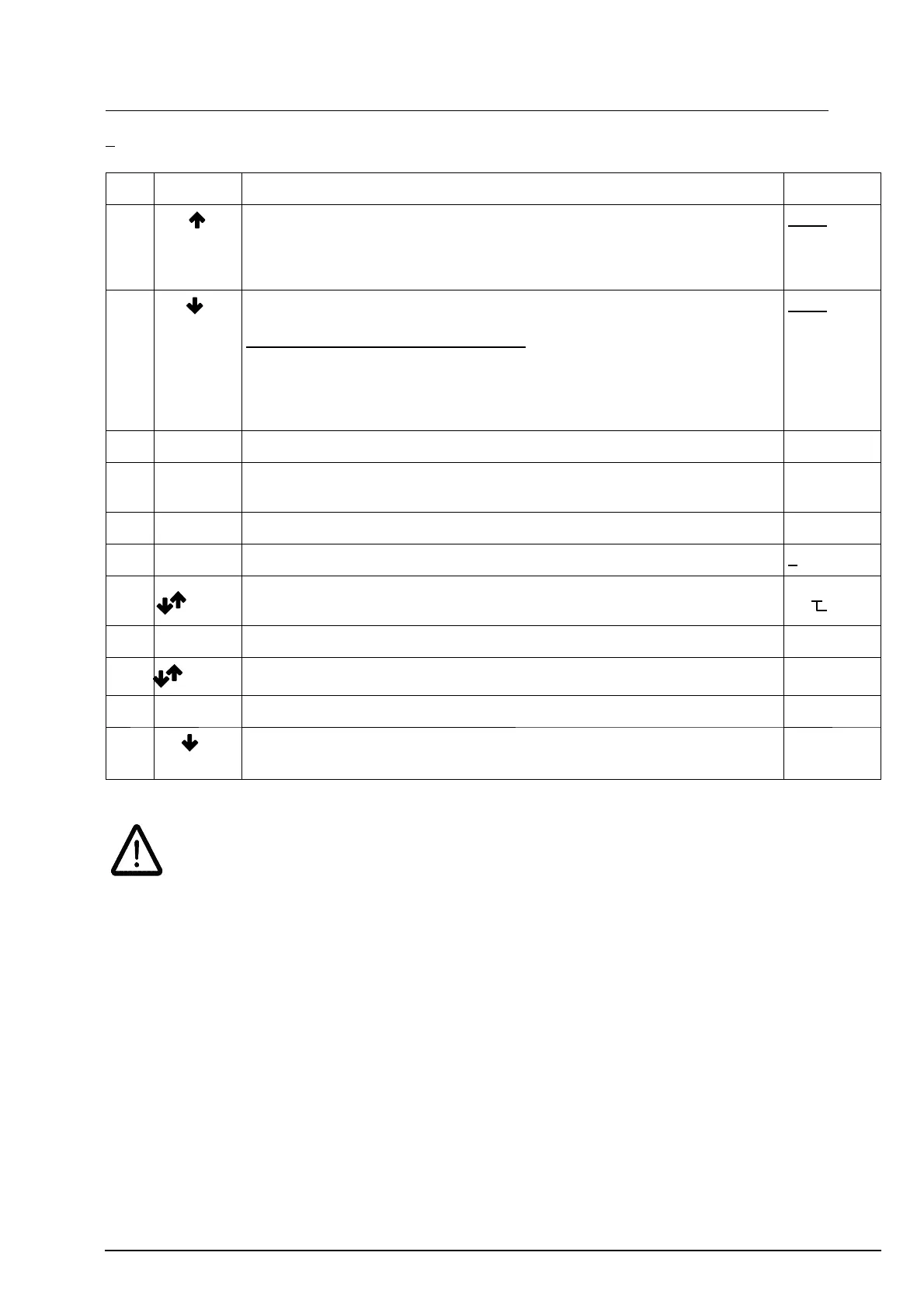
No.
Key Description Display
42 HT
HH
Lift known load in main lift until hoist motor shuts down.
The LIS – SM switches to setting/overload mode. The display flashes and
the known load value measured by the unit is displayed (in t).
Thesetting/overloadmodecannotbecancelledbylowering.
3.120 e.g.
flashing
43 HT
FS
Lower known load
Compare the value on t heLIS–SE display with t he known load.
The following requirement must be
met:
known load = indicated load (in t) +/– 10 %
If this requirement is not met, the setting of parameter P 2.3 must be
repeated.
If the requirement is met, continue with step 44a or 44.
3.120 e.g.
flashing
44a* Enter ”Code” appears on display CodE
44b* Enter
briefly
”P–Nr.” appears on display. P–nr
44 Enter press until ”P–Nr.” appears on display P–nr
45 Enter press for about 1 sec. and release 0 000
46
+
Enter
+
Enter
Enter PIN No. from left to right.
After entering the last digit, press ”Enter” until P 0.0 appears on the display
0055
flashing
47 Enter after the last digit has been confirmed by E NTER, P 0. 0 appears on display P0.0
48 select parameter P 9. 9 P9.9
49 Enter LIS – SE switches back to normal mode. The display on the right appears: 0.000
50
HT
FS
press ”lower” for about 3 sec. (setting/overload mode is cancelled)
overload protection is activated; the hoist is ready for operation
Important:
1. From step 36 to step 43,loweringisal-
ways possible without any change in the pro-
gram.
2. From step 40 to step 43, the load must not
be fully lowered (it must always remain sus-
pended).
3. If the power measured with a load is lower
than the power w ith zero load (by about 10
%), Err 6 is indicated and setting must be re-
peated, starting with Pro 1 (step 31).



 To Next Page