Installation
29 | EN
Step 4: Switch on the repeater and start operation
Step 4a: Power supply
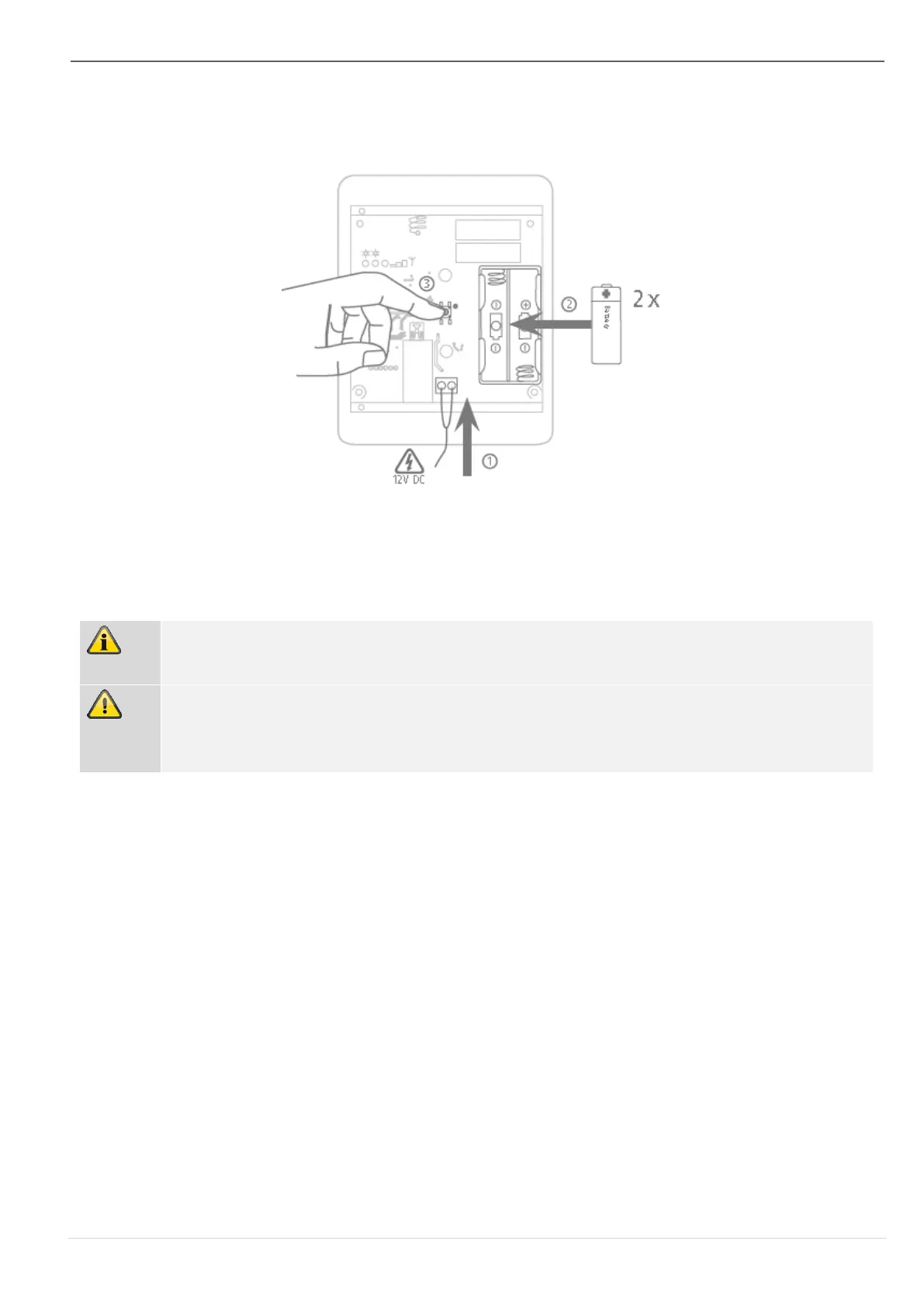
Figure 9
Insert the batteries into the holder, ensuring the polarity is correct.
Connect the batteries
Connect the appropriate power supply unit and insert the power supply unit into the socket.
Step 4b: Pair the repeater with the alarm panel
If this has not been done already, switch the alarm panel on.
Place the repeater next to the alarm panel or within range of the alarm panel with which it
will communicate.
Select:
Installer mode -> Components -> RF repeater -> Add/remove ->
RF repeater X
You will receive the message “Activate the tamper contact of the repeater”. Press the
tamper switch (see Fig. 1)
The repeater will then send a pairing signal to the alarm panel. The alarm panel will rec-
ognise the repeater. Once the pairing signal has been received by the wireless alarm
system, it will emit two beeps. The message “RF repeater added” and the incoming sig-
nal strength will be displayed.
Confirm the successfully completed teach-in on the control panel.



 To Next Page