17
3.3 Reset of factory default settings
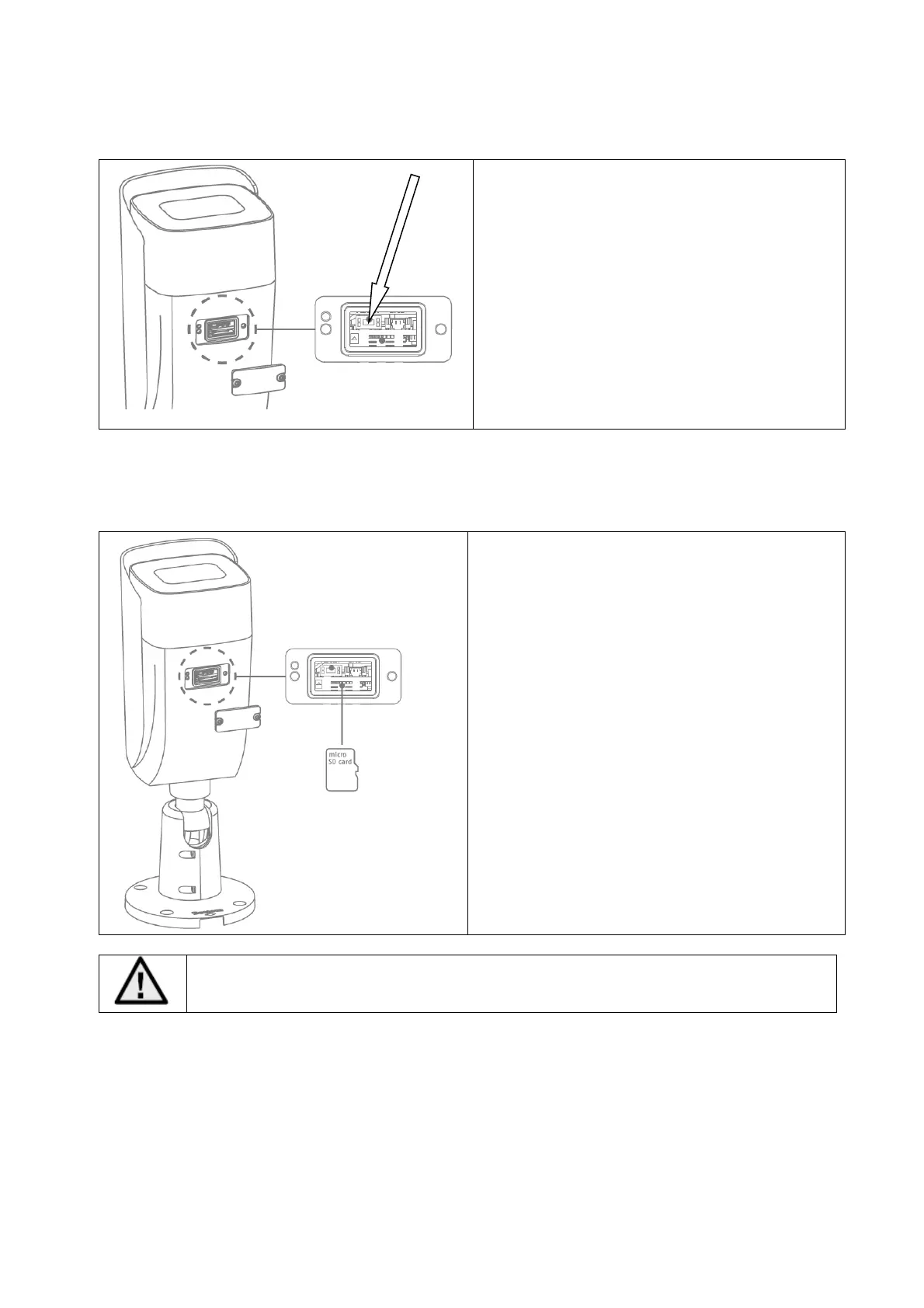
To operate the reset button please remove the
bottom cover on the downside of the camera.
1. Please disconnect the camera form power
connection.
2. Press the "Reset" button on the camera
and keep it pressed.
3. Now connect the power supply to the
camera (2-pin power supply or Power over
Ethernet), and hold the "Reset" button
pressed for another 30 seconds.
3.3 SD card slot
To install the micro-SD card please remove the
cover on the downside of the camera. The
micro-SD card slow is located under the cover.
Max. SD card size: 256 GByte
Before usage of micro SD card the card must be formatted.



 To Next Page