19
How to install the ABUS Powerline Adapter
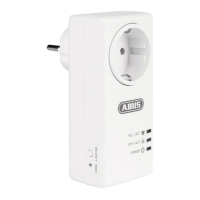
The ABUS Powerline Adapter ITAC10300 is usually used to be connected to your
router/gateway.
The ABUS Powerline PoE Adapter ITAC10320 with PoE output(s) is usually used
to be connected to PoE powered devices, including IP camera, etc.
Both types of adapters can be mixed in one network. The only restriction is the
total number of 16 devices in one network.
Follow the next steps for installation:
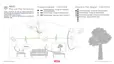
1. Plug the powerline adapter, for example the ABUS Powerline PoE
adapter ITAC10320, into a socket near the location where you want to
operate your network device (for example your PoE-capable network
device such as an IP camera). Now connect ITAC10320 to the PoE
capable network device. The network LED on the network socket on the
powerline adapter flashes GREEN irregularly.
2. Plug another ABUS Powerline adapter (e.g. ITAC10300) into a socket
near your router. Now connect this adapter to the router via the network
interface.
3. Both Powerline adapters must be in a socket. If necessary, wait 1 minute
for the devices to start up before starting with step 4.
4. Hold down the SECURITY button on ITAC10300, one of the powerline
adapters, for 2-3 seconds until the powerline LED starts to flash.
5. You now have two minutes to press the SECURITY button on the other
Powerline Adapter again for more than 2 seconds.
6. Wait until the Powerline LED or connection LED on both
Powerline adapters stops flashing. If the connection between the two
adapters is good, these LEDs on both devices light up constantly
GREEN (optimal connection quality). However, if the connection between
the two powerline adapters is not optimal or weak, the LED lights up
ORANGE (poor connection quality) or RED (poor connection quality).


 To Next Page