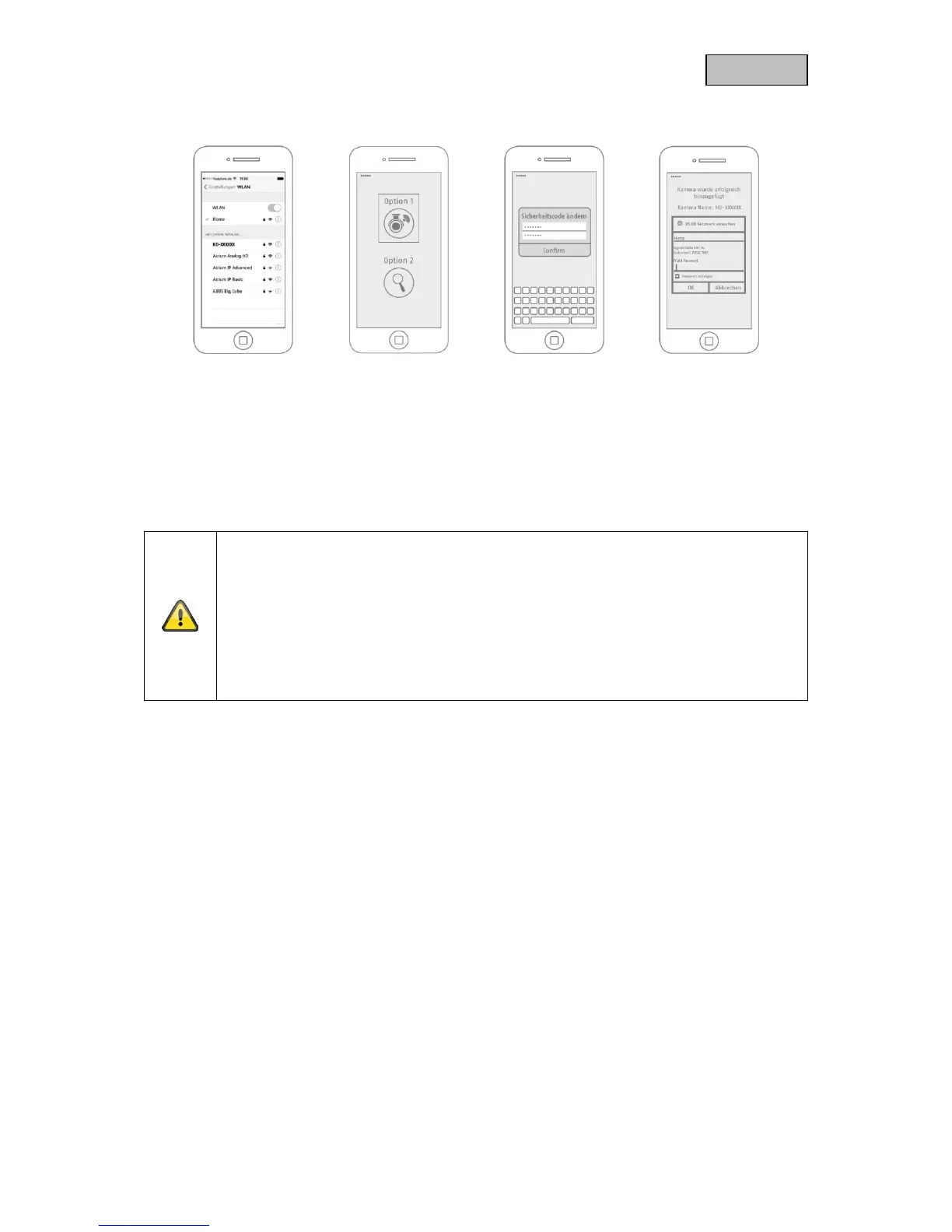
5.2.2. Wi-Fi set-up (iOS)
Before opening the app, go to your device's network settings and connect to your camera's Wi-Fi
access point. This will have the name 'HD-XXXXXX'. The password for the camera's Wi-Fi access point:
'12345678'.
Once the connection is set up, open the app and select option 1 to set up the camera on your Wi-
Fi network.
Before connecting the camera to the Wi-Fi, the app prompts you to change the security code on
the camera, which is required to integrate the camera. Enter a security code and confirm it.
Note
This security code should consist of at least eight characters and meet at least two or
three of the following criteria:
Uppercase letters (A–Z)
Lowercase letters (a–z)
Numbers (0–9)
Special characters are not allowed. The camera's standard security code '123456' is not
permitted.
Select your home network Wi-Fi from the list of Wi-Fi networks, then enter the Wi-Fi password for your
home network. Press 'OK' to set up the connection.
The camera takes approx. 90 seconds to set up a connection with the Wi-Fi network. If the camera
does not connect despite this set-up, reset the camera using the Reset button and repeat the
above steps.



 To Next Page