29
English
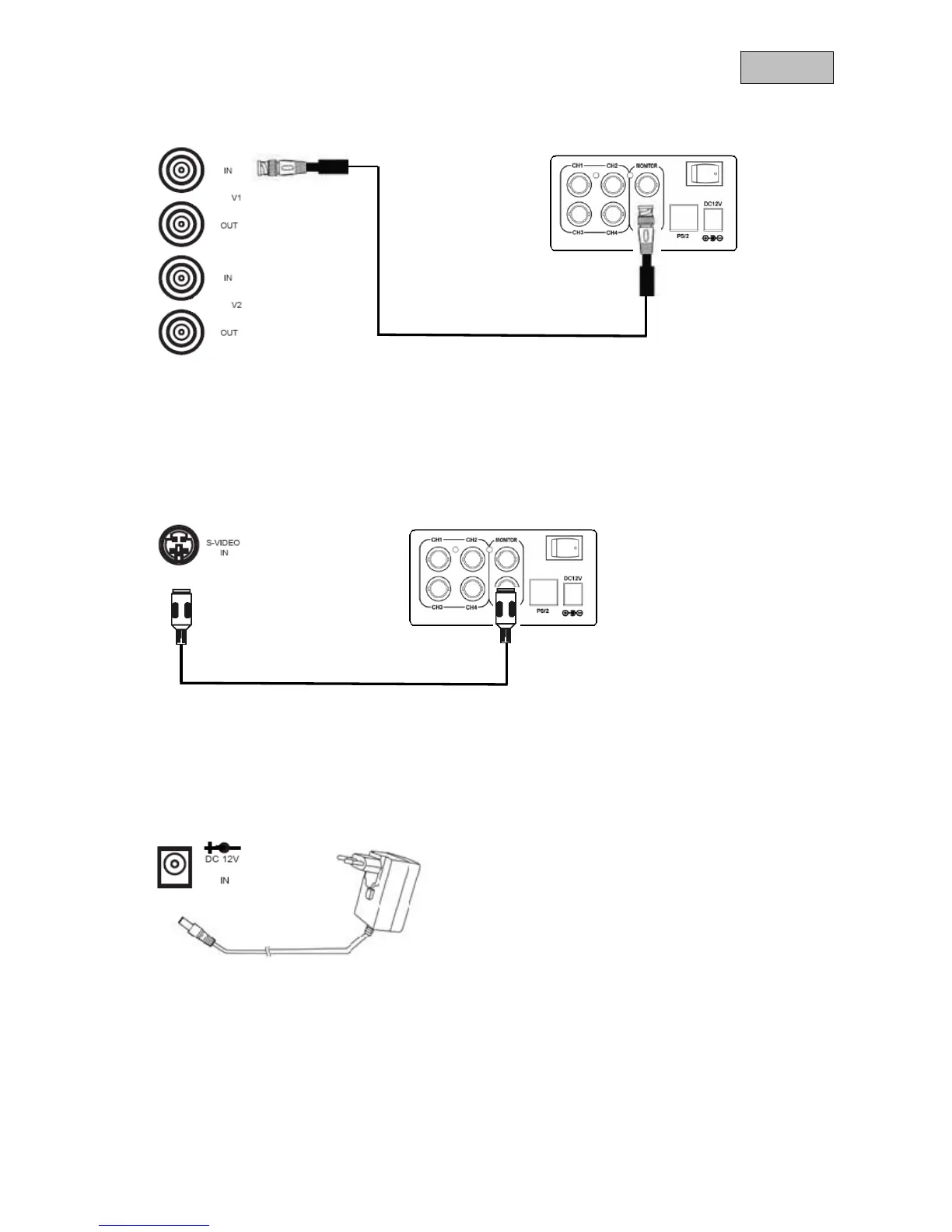
7.2 Connect the monitor to a camera or recorder via BNC.
Use a coaxial cable with BNC plugs (male) for the connection.
Connect one of the monitor’s video inputs with the video output of a camera or the monitor output of a
recorder.
7.3 Connect the monitor with a camera or recorder via S-Video.
Use an S-Video cable for the connection. Connect the monitor’s S-Video input with the S-Video output of
the recorder.
7.4 Finally, connect the supplied power supply unit to the monitor and the 230 V AC power supply.



 To Next Page