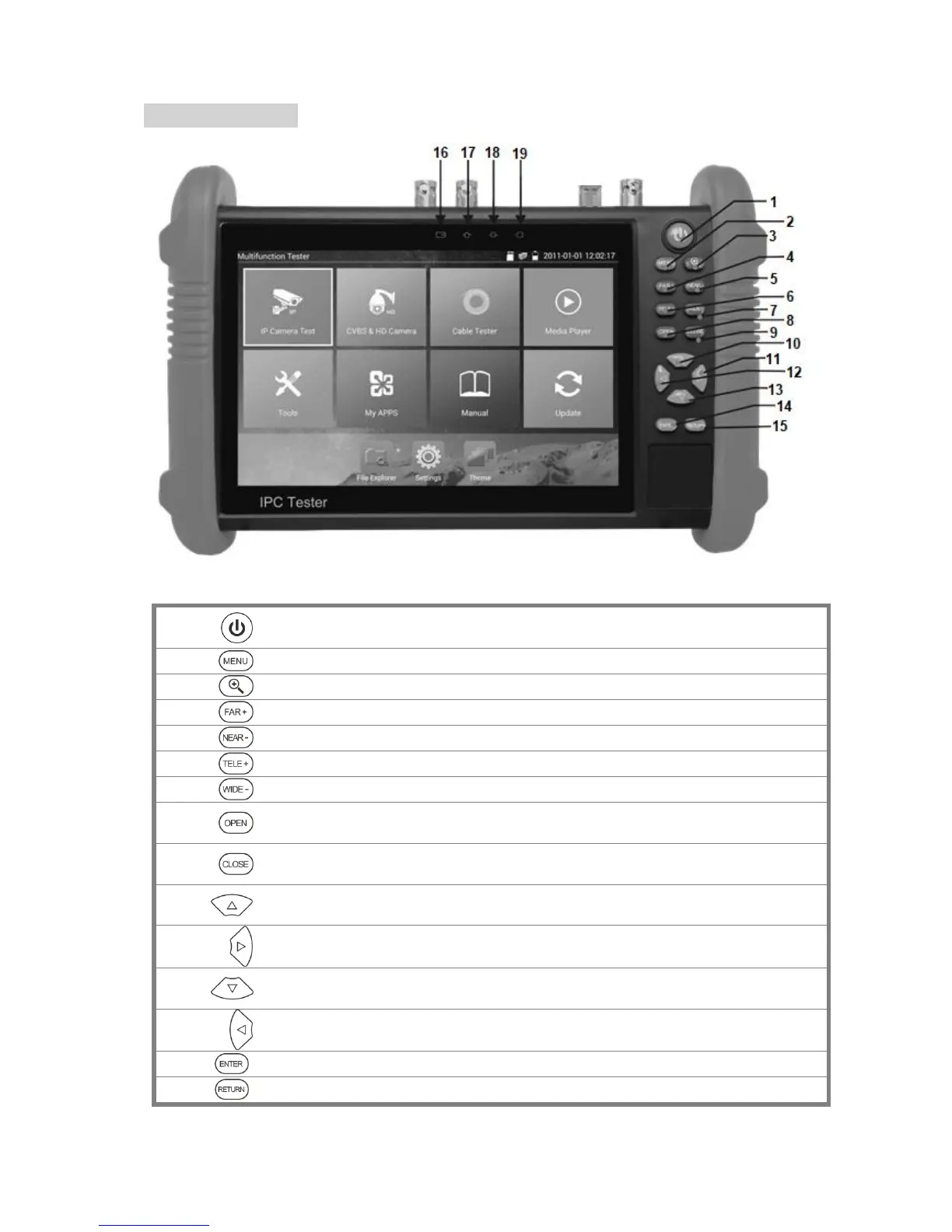
Press more than 2 seconds to turn on or off or restart the device,
short press to turn on or off the display
Press MENU key to call short menu.
Far focus: Focus the image faraway
Near focus: Focus the image nearby
Open/Set: Confirm the setting of parameters, open or enlarge the
aperture
Return/Close: Return or cancel while setting parameters of the menu,
close or decrease the aperture
Upward: Set function or add the value of the parameter. Tilt the PTZ
upward.
Rightward: Select the parameter. Add the value of the parameter. Pan
the PTZ to the right.
Downward: Set function or reduce the value of the parameter. Tilt the
PTZ downward.
Leftward: Select the parameter. Pan the PTZ to the left.
Confirm key (Long press to capture screen/take a screenshot)
Return/Close: Return page or exit menu.



 To Next Page