6
Monitor
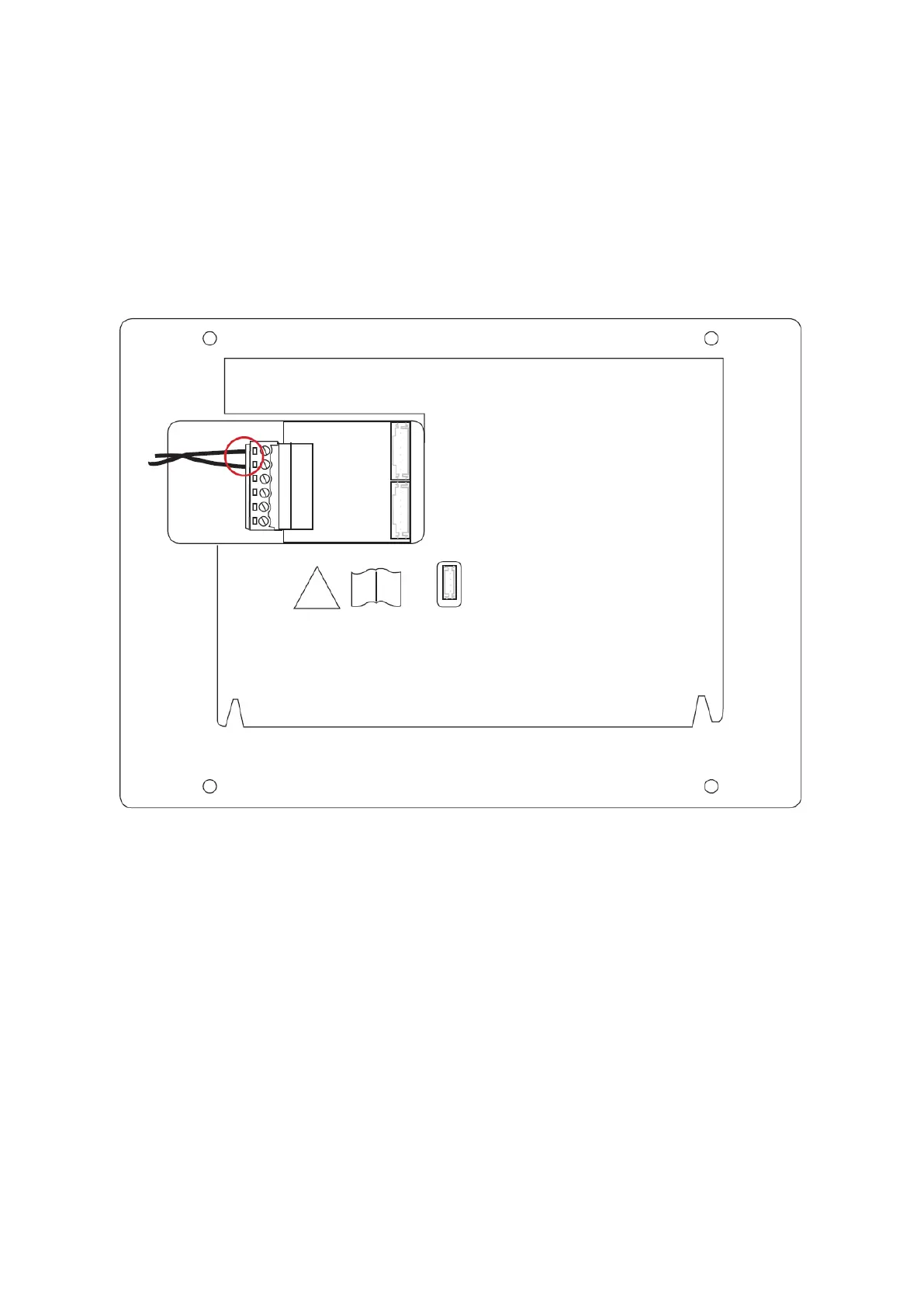
Connect the 2-wire cable to the monitor as shown in the following sketch. There is no
polarity to be considered.
Only the 2 upper contacts of the green terminal block (6-PIN) are used on the
monitor. The other contacts and connections are currently not used.
Secure-Module TVHS10040
This safety module is connected via RS-485 to the door station on the contacts "RS-
485". The safety module must be installed in a safe, non-accessible location. Only
then it is ensured that unauthorized persons cannot gain access to the door contact
cables. The safety module prevents the door contact cabling from being directly
accessible from outside in the case of sabotage.
The safety module requires a separate power supply of 12V DC.
The door contact relay of the safety module is potential-free and has to be used with
max. 2A 30VDC / 0.5A 125AC switch.


 To Next Page