INSTALLATION
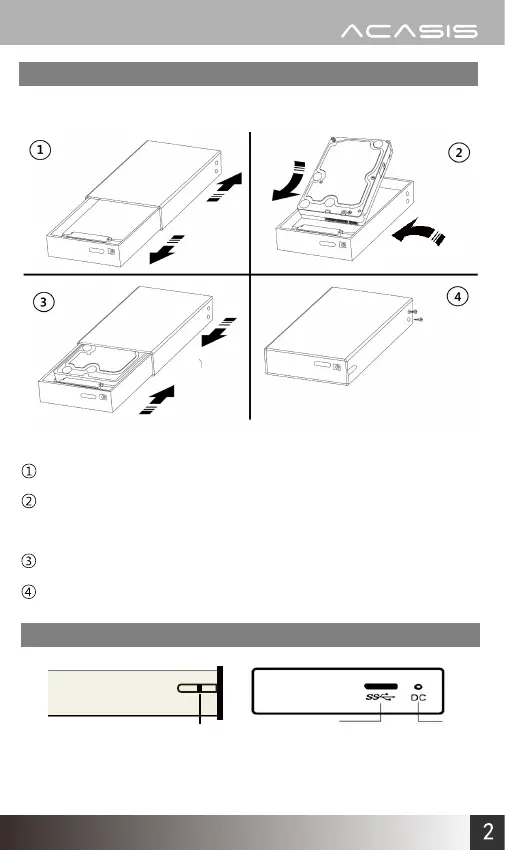
Remove the aluminum shell and slide the tray out.
Gently insert the 2.5 inch SATA hard drive disk into the slot.
Ensure the drive is well seated.
Reinstall the aluminum shell.
Tighten the screws on both sides and it is ready for work.
Illustration
www.acasis.com
Led Indicator USB3.0 Port DC Port


 To Next Page